
Accounts created after November 2023 must complete closed testing with 12+ testers for 14 days. Organization accounts are exempt. Get professional testers →
What we'll cover
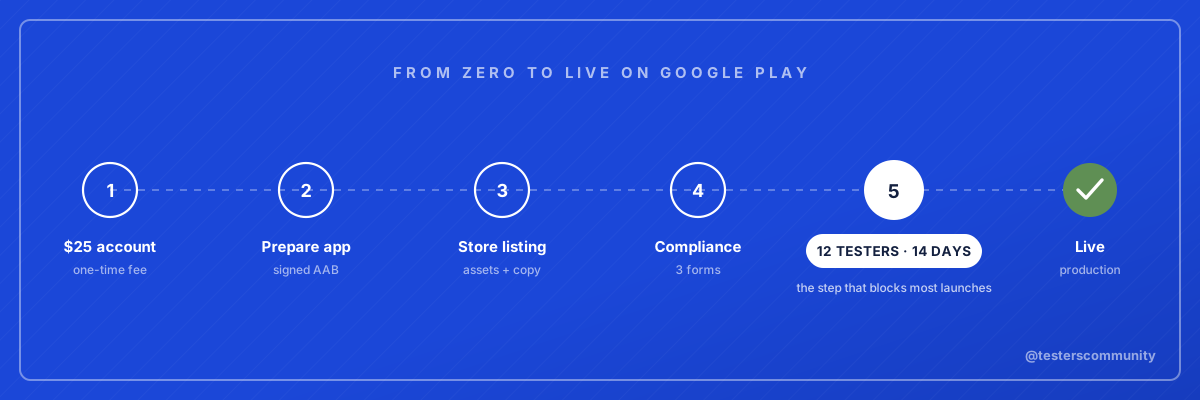
Budgeting first? The whole process costs $25 plus your time, and takes about three weeks for a new personal account.
Step 01 / 06
Create a Developer Account
Go to play.google.com/console, sign in with your Google account, and pay the $25 one-time registration fee.
You'll need to verify your identity with a government ID. For personal accounts, you'll also verify device access via the Play Console mobile app. Account approval takes up to 48 hours. The account-type decision matters more than the fee: our Google Play developer account guide covers it in depth.
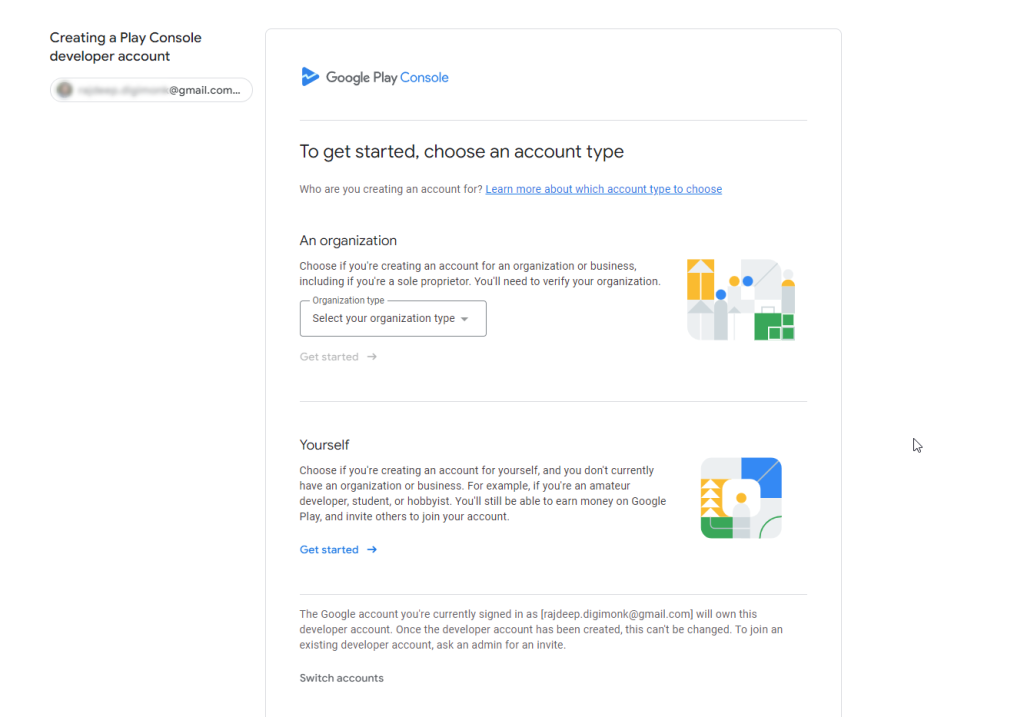
Personal vs Organization account
| Personal | Organization | |
|---|---|---|
| Verification | Gov. ID + device | D-U-N-S number |
| 12 Testers Required | Yes (after Nov 2023) | No |
| Name shown | Your name | Company name |
Step 02 / 06
Prepare Your App
Before uploading to Google Play, make sure you have all of these ready:
Signed AAB file
Google requires Android App Bundles (.aab), not APKs. Build a signed release bundle from Android Studio or use your framework's release command. The bundle must be signed with your upload key.
Privacy policy URL
A publicly accessible privacy policy page that explains what data your app collects, how it is used, and how users can request deletion. This URL must be live and not return a 404.
Phone and tablet screenshots
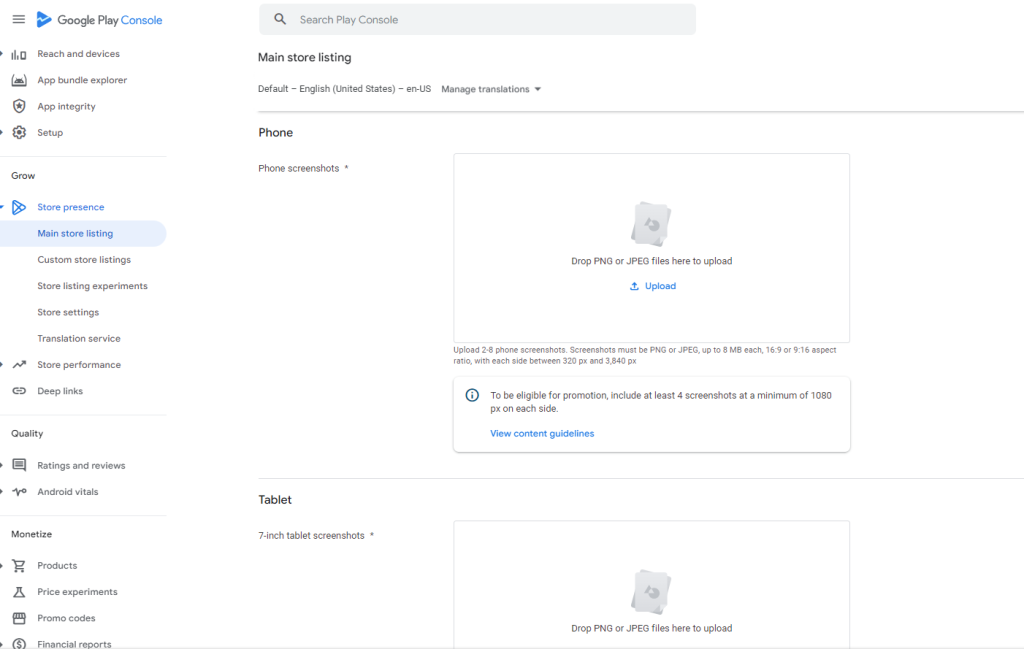
At least 2 phone screenshots are required (recommended 4 to 8) in JPEG or PNG format around 1080 x 1920 px. Tablet screenshots are optional but recommended to improve your store listing quality and visibility on larger devices.
App icon (512 x 512 px)
A high-resolution app icon in 32-bit PNG format. This is displayed on the Play Store listing, search results, and recommendations.
Feature graphic (1024 x 500 px)
A banner image displayed at the top of your store listing. Required in JPEG or PNG format. This is the first visual users see when they visit your app page.
AAB generation varies by framework. Flutter uses flutter build appbundle, React
Native uses ./gradlew bundleRelease, and native Android uses the "Generate Signed
Bundle" wizard in Android Studio. New to the format? Read
what an AAB file is, and if your build tool left the
bundle unsigned, our free AAB Signer signs it
in the browser.
Step 03 / 06
Create Your Store Listing
In Play Console, create a new app and fill out the Main Store Listing. This is what users see before they install your app.
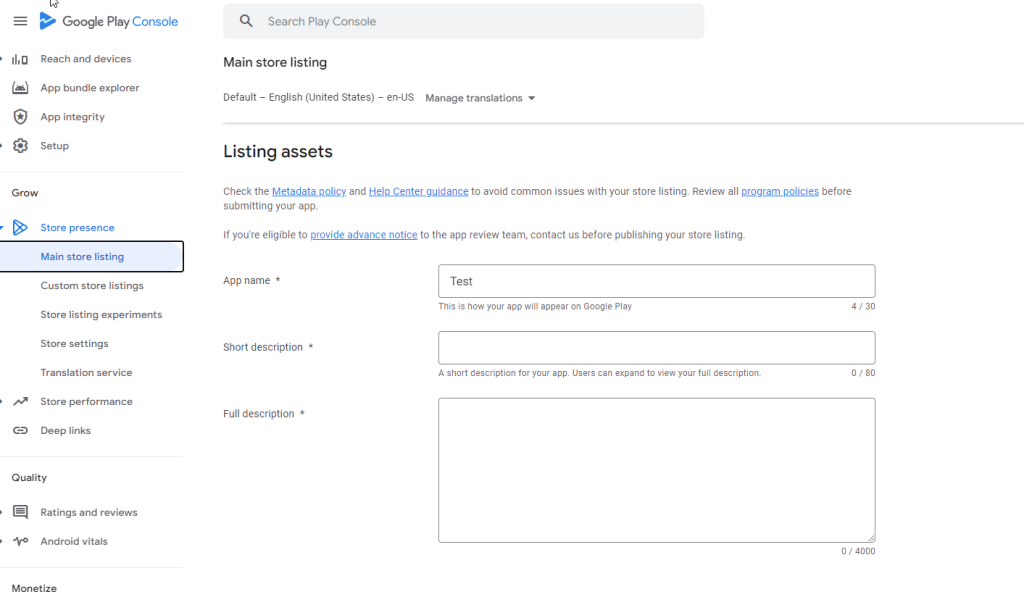
Text fields
| App Name | 50 chars | Make it memorable and keyword-rich |
| Short Description | 80 chars | Appears in search results. Your hook. |
| Full Description | 4,000 chars | Describe features, benefits, and use cases |
Required graphic assets
| Asset | Size | Format |
|---|---|---|
| App Icon | 512 × 512 px | PNG with alpha |
| Feature Graphic | 1024 × 500 px | JPEG or PNG |
| Phone Screenshots | 1080 × 1920 px | 2–8 images required |
You must link a publicly accessible privacy policy page. It must explain what data you collect, how it's used, and how users can request deletion. No privacy policy = instant rejection.
Step 04 / 06
Complete Compliance Forms
Google requires three compliance forms before you can publish. These can't be skipped. Play Console will flag them as incomplete.
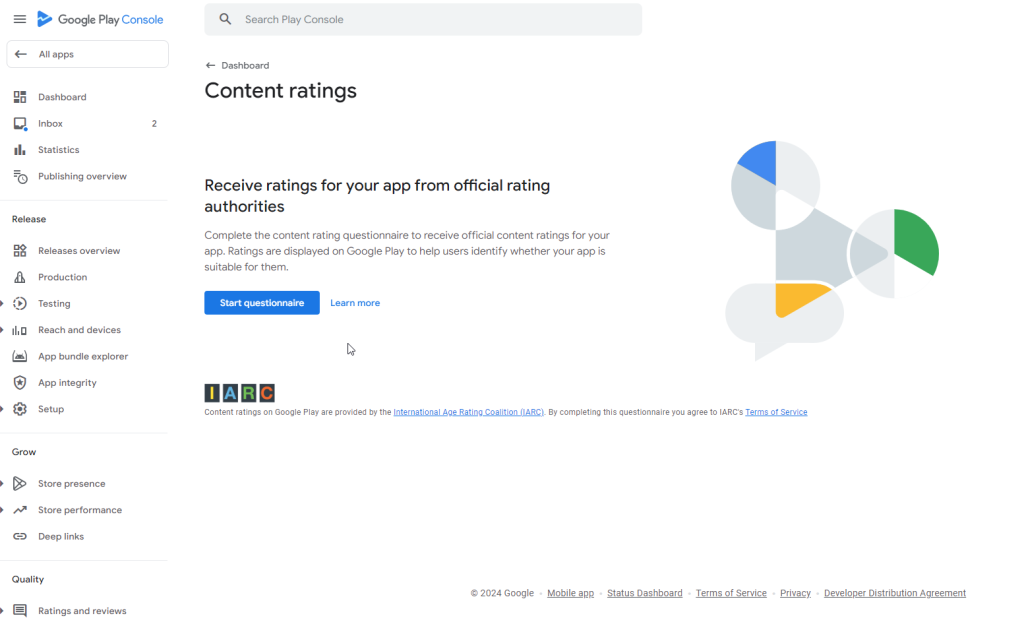
A Content Rating
Complete the IARC questionnaire about your app's content: violence, language, sexuality, etc. Takes about 5 minutes, the rating is generated instantly, and it's free.
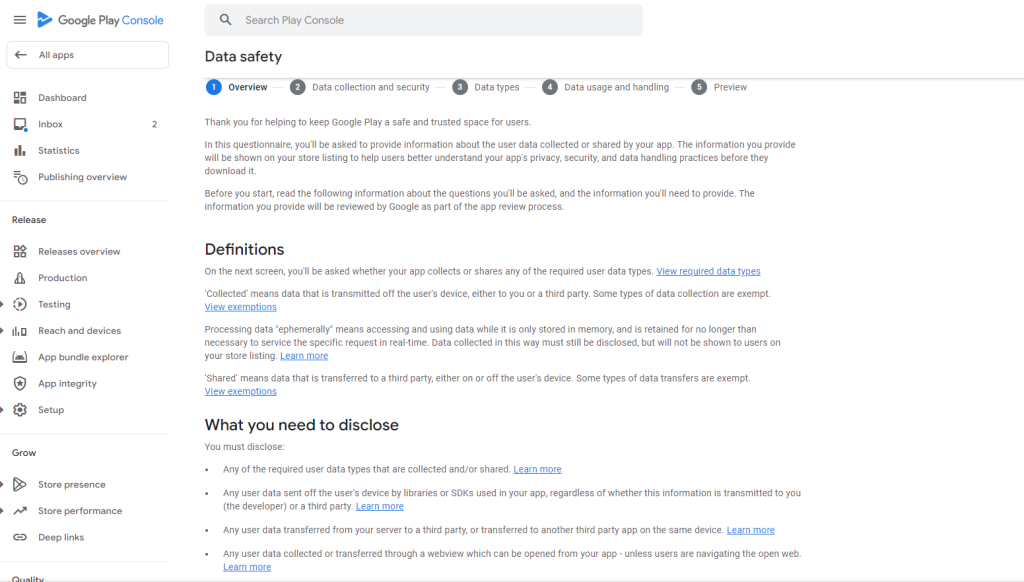
B Data Safety
Declare what data your app collects and shares. This includes data collected by third-party SDKs like Firebase Analytics, Crashlytics, AdMob, or any social login provider.
C Target Audience
Declare the age group your app is designed for. If your app isn't built for children, select "18 and over" to avoid being subject to the stricter Families Policy, which has tight restrictions on ads, data collection, and content.
Step 05 / 06 Critical
Closed Testing
For personal accounts created after November 2023. Skip if you have an organization account.
Closed testing is a pre-release track where a limited set of testers can download and use your app. Google uses this to confirm real people have tested your app before it goes public. The full setup, troubleshooting, and requirements live in our Google Play closed testing guide; the rule itself is explained in the 12 testers policy reference.
How to set it up
- Go to Release → Testing → Closed testing → Create track
- Add an email list with at least 12 Gmail addresses of your testers
- Upload your signed AAB and submit the closed testing release for review (Google takes 3–5 days)
- Share the opt-in link with testers. They must click it and install the app themselves.
- Wait 14 days then return to Play Console and apply for production access
Aim for 20–25 testers as a buffer in case some don't complete the opt-in. Adding an email address doesn't count. Testers must click the opt-in link. Once opted-in, uninstalling doesn't remove them from your count. When the 14 days end, Google asks 10 questions about your test; the form answers guide covers every one.
Step 06 / 06 Final step
The 14 days are worth using well. Across the 3,037,501 Google Play listings in our Google Play statistics, 627 in every 1,000 apps never pass 1,000 installs, and the ones that do tend to arrive with users and feedback already in motion.
Submit for Review
Once closed testing is complete (or if you have an organization account), go to Release → Production → Create new release, upload your signed AAB, write release notes, and hit Submit.
Review time: Most apps are reviewed within a few hours to 3 days. Apps with sensitive permissions or first-time submissions can take up to 7 days.
Common rejection reasons to avoid
The four below cause most first-submission failures; the complete list is in every Google Play rejection reason and the fix.
Quick answers
Publishing on Google Play: FAQ
How much does it cost to publish an app on Google Play Store?
Google charges a $25 one-time registration fee for the developer account. There is no annual renewal and no per-app charge, and unlimited apps are included. The real cost for new personal accounts is time: the mandatory 14-day closed test before production access.
How long does it take to publish an app on Google Play?
Plan for about three weeks on a new personal account: a day or two for account setup and verification, 14 continuous days of closed testing, about 48 hours for the production access decision, and up to 7 days for production review. Organization accounts skip the testing and can be live within about a week.
Can I publish on Google Play without the 12 testers?
Only if you are exempt: organization accounts and personal accounts created before November 13, 2023 can publish directly to production. Every new personal account must first run a closed test with at least 12 testers opted in for 14 continuous days, for every new app.
Do I need an APK or an AAB to publish?
An AAB (Android App Bundle). Google Play has required the AAB format for all new apps since August 2021, and it must be signed. APKs are still useful for local testing on your own device, but the store upload is always the bundle.
What happens if my app is rejected?
Read the reason in Play Console under Policy status, fix the actual cause, bump the version code, and resubmit; reviews usually clear within a few days. A rejection by itself does not harm your account. If the message is about testing rather than policy, that is the production access review judging tester engagement, which is a different fix.
Ready to Publish?
Stuck on the closed testing step? We provide 15 to 25 professional testers with a production access guarantee.
Sources
- Prepare and roll out a release, Google Play Console Help
- Set up an open, closed, or internal test, Google Play Console Help
- App testing requirements for new personal developer accounts, Google Play Console Help