
Google Play Console gives you three testing tracks before production. They look interchangeable in the sidebar, but only one of them counts toward the 12 testers for 14 days requirement. Picking the wrong track is one of the most common ways new developers lose weeks.
Quick answer
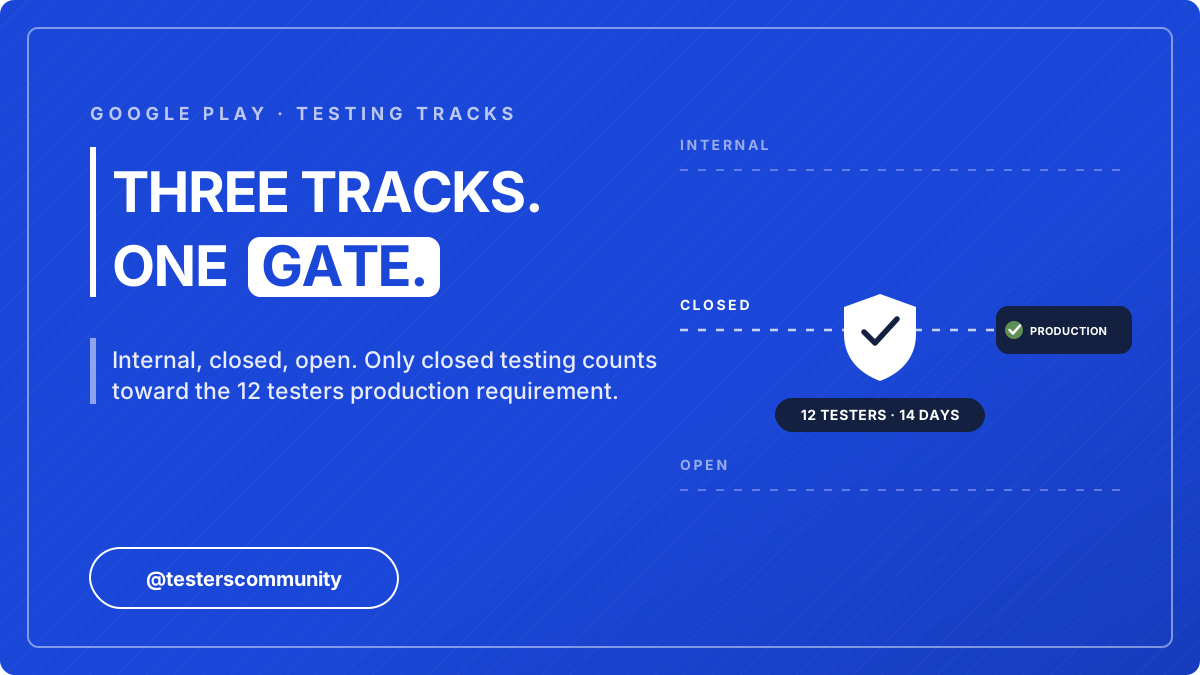
Internal testing is for your team, closed testing is for your invited beta, and open testing is a public beta. Only closed testing counts toward Google Play's 12 testers for 14 days requirement. For a new personal developer account, the path is: internal testing for a few days, then closed testing with 15 to 25 real testers for 14 days, then apply for production access. Open testing only unlocks after that.
The Comparison at a Glance
The three tracks serve different purposes, and the row that matters most for a new developer account is the one in bold: which track counts toward the 12 testers requirement.
| Internal testing | Closed testing | Open testing | |
|---|---|---|---|
| Purpose | Team QA, crash hunting | Structured beta with invited users | Public beta, anyone can join |
| Max testers | 100 | Very large (email lists / Google Groups) | Unlimited |
| Who can join | Only listed emails | Invited via email list or Google Group | Anyone with the link |
| Review before live | None (near-instant) | Yes, first release is reviewed | Yes |
| Visible on Play Store | No | No (opt-in link only) | Yes, listed as early access |
| Counts toward the 12 testers requirement | No | Yes | No |
| Available to new personal accounts | Yes | Yes | Only after production access |
Google Play Internal Testing: Up to 100 Testers, No Review Wait
Internal testing is your team's sandbox: it exists for you and up to 100 trusted testers to catch embarrassing bugs before anyone official sees the app. Releases go live in minutes with no review, which makes it perfect for rapid iteration: fix a crash, upload, install, repeat.
The internal testing requirements are deliberately light. The official cap is up to 100 testers per internal track, there is no minimum, and releases are available within minutes with no review wait. Testers join through an email list you add in Play Console and accept via the internal testing opt-in link, the same opt-in mechanic closed testing uses. The reason the requirements are so light is also the catch: internal testing does not count toward production access, so Google has no reason to gate it.
What it does not do: internal testing contributes nothing to the 12 testers requirement, no matter how many people you add or how long they test. A month of internal testing with 100 users still leaves your production access checklist at zero.
Use it when: you are pre-beta, shipping builds daily, and want no review friction.
Closed Testing: The Track That Actually Matters
Closed testing is the structured beta stage, and for personal developer accounts created after November 13, 2023 it is mandatory: Google requires you to run your closed test with at least 12 testers opted in for the last 14 days before you can apply for production access.
Key mechanics:
- You publish a closed testing release. The first one goes through Google review, typically 24-48 hours.
- You add testers through an email list or a Google Group, then share the opt-in link.
- Testers must actively opt in; installs without opt-in do not count. If your dashboard says "0 testers currently opted-in", see our fix guide for the opted-in error.
- After 14 days with 12+ opted-in testers, the production access application unlocks, including a questionnaire about how you recruited testers and what feedback you received.
Use it when: always. Every app on a personal account passes through here. One nuance worth knowing: if your tester count dips below 12 mid-test, the 14-day clock keeps running, nothing resets. Google evaluates how engaged your testers were at production review, which is why a buffer of 15 to 25 active testers is the safe way to run the track.
Open Testing: The Public Beta You Probably Don't Need Yet
Open testing lists your app as early access on the Play Store, and anyone can join without an invitation. It is useful for scale feedback once your app is already solid.
The two things new developers get wrong:
It is not a bypass
For new personal accounts, you cannot use open testing instead of closed testing to reach production. The 12 testers requirement is satisfied by closed testing only, and open testing itself only becomes available after production access.
It exposes your rough beta
Open testing shows your app to the public, including its ratings-adjacent feedback. A buggy open beta can poison your launch audience before you ever reach production.
Use it when: you have production access (or an older/organization account) and want hundreds of real users stress-testing before full launch.
What If a Tester Is Eligible for Multiple Tracks?
Because the tracks run independently, the same person can be on your internal list and in your closed test at once. When a tester is eligible for more than one testing track, Google Play serves them the track with the highest version code they are eligible for. There is no picker on the tester's side; the Play Store simply installs the highest-versioned build available to them.
Two practical consequences follow from that rule:
Keep internal ahead for your team
If you want teammates always on the newest build, keep your internal track's versionCode higher than the closed track's. They stay on the bleeding edge while closed testers stay on the stable build.
A tester counts where they opted in
Someone who opted in as an internal tester does not count toward your 12 closed testers. If a teammate must count as a closed tester, remove them from the internal list and have them opt in through the closed testing link.
The Recommended Path to Production
Used in the right order, the tracks build on each other. This is the sequence that gets a new app to production without wasted weeks.
Internal testing (2-5 days)
You plus a handful of teammates. Fix the obvious crashes while releases go live in minutes with no review friction.
Closed testing (14 days minimum)
Recruit 15-25 real testers, collect feedback, and ship at least one improvement mid-test. This satisfies the requirement and writes your production access form answers for you.
Apply for production access
Answer the questionnaire with the concrete feedback and changes your closed test produced.
Open testing (optional)
Scale feedback after approval if you want a soft launch with a wider public audience.
Step 2 is where most developers stall, because finding 12+ strangers who opt in correctly and stay engaged is genuinely hard. The free Testers Community app (where developers exchange tests, with 50,000+ apps published) and the paid Android app testing service (verified testers within 6 hours, 10,000+ apps published, approved or your money back) both exist for exactly this step.
Frequently Asked Questions
Does internal testing count toward Google Play's 12 testers requirement?
No. Only testers opted in to a closed testing track count. Internal testing has no review and no minimum, but it contributes nothing to production access.
What is the difference between closed testing and open testing on Google Play?
Closed testing is invitation-only via email lists or Google Groups and satisfies the 12 testers requirement. Open testing is a public beta anyone can join, and for new personal accounts it only becomes available after production access.
Can I run internal and closed testing at the same time?
Yes. The tracks are independent, and many developers keep internal testing for daily builds while a stable build sits in closed testing accumulating its 14 days.
How long does closed testing review take?
The first closed testing release of a new app typically clears review in 24-48 hours. Later releases to the same track are usually much faster.
Can open testing replace closed testing for production access?
No. For new personal accounts, open testing is not a bypass. The 12 testers for 14 days requirement is satisfied by closed testing only, and open testing itself only unlocks after you have production access.
Which track should I start with for a brand-new app?
Start with internal testing for a few days to catch obvious crashes with your own team, then move to closed testing with 15 to 25 real testers for the 14-day requirement. Open testing is optional and comes after production access, if you want a public soft launch.
How many testers can join Google Play internal testing?
Up to 100 testers per internal track. There is no minimum, releases go live in minutes without review, and none of those testers count toward the 12 testers requirement for production access.
Which testing track does a tester get if they are in more than one?
Google Play serves the track with the highest version code the tester is eligible for. If someone is on both your internal and closed lists, they receive whichever of those tracks currently has the higher version code.
Does open testing require 12 testers?
No. Open testing has no minimum tester count, but it also does not satisfy the 12 testers requirement. For new personal accounts, open testing only unlocks after production access is granted.
Bottom line
Internal testing is for catching crashes with your team, open testing is a public beta for later, and closed testing is the one track Google actually requires: 12 testers opted in for the last 14 days before production access. Run internal for a few days, then put a stable build into closed testing with a comfortable buffer of real testers, and you are on the shortest sane path to production. If you need those testers, get 12 testers the fast way.
Official links
- Google Play closed testing, explained in full
- Google Play testing requirements for production access
Ready for the Closed Testing Step?
Skip the recruiting problem. Verified testers join within 6 hours, stay engaged for the full 14 days, and generate the feedback your production access application needs.
Sources
- Set up an open, closed, or internal test, Google Play Console Help
- App testing requirements for new personal developer accounts, Google Play Console Help