
After 12 testers and 14 days, one questionnaire stands between your app and Google Play production. This guide shows how to fill it in: all 10 questions, including the two multiple-choice ones, what the reviewer is actually checking, and one sample answer for each that you can adapt to your own closed test.
Quick answer
The Google Play production access form has 10 questions: how you recruited your testers, how easy recruitment was, the engagement and feedback you received and how you collected it, who your audience is, how the app provides value, how many installs you expect, what you changed, and how you know the app is ready. The reviewer is looking for three things: real testers, real feedback, and real iteration. Specific answers with numbers, examples, and named fixes get approved. Vague praise like "testers liked the app, no issues found" is the most common reason applications fail.
What Play Console tells you
"When you apply for production access, at least 12 testers must be opted-in to your closed test. They must have been opted-in for the last 14 days continuously."
That is the gate this form sits behind: 12 opted-in testers, 14 continuous days, then the application. If your counter is not there yet, start with the fix guide for the "have at least 12 testers opted-in" message and come back here when the button unlocks.
What Google Is Really Evaluating
You ran your closed test with at least 12 testers for 14 days. The "Apply for production" button is finally clickable. Then Google presents a questionnaire of 10 questions, eight free text and two multiple choice, and the quality of your answers decides whether you get production access or the dreaded "Your app isn't ready for Google Play production yet" response. Before writing anything, it helps to know what the reviewer wants evidence of:
Real testers
People who installed the app, used it repeatedly, and behaved like genuine users across the 14 days.
Real feedback
You collected opinions, bug reports, or usage observations, and you can describe them concretely.
Real iteration
The feedback changed something: a fix, a UX tweak, a store listing improvement.
The sample answers below describe an honest, engaged closed test. Do not paste them blindly; adjust the specifics, the tester counts, and the named fixes to what actually happened in your test. If your test did not produce anything worth writing about, the fix is a better test, not better creative writing. More on that at the end of this guide.
How to Apply for Production Access After Closed Testing
Before the questions, the mechanics. Here is how you apply for production access in Play Console once your 14-day testing period is done:
- Finish the 14 days. Your closed test needs at least 12 testers continuously opted in for the last 14 days. The Play Console checklist tracks this for you.
- Open Play Console and go to your app's Dashboard. Once the requirement is met, the "Apply for production" task appears on the publishing checklist.
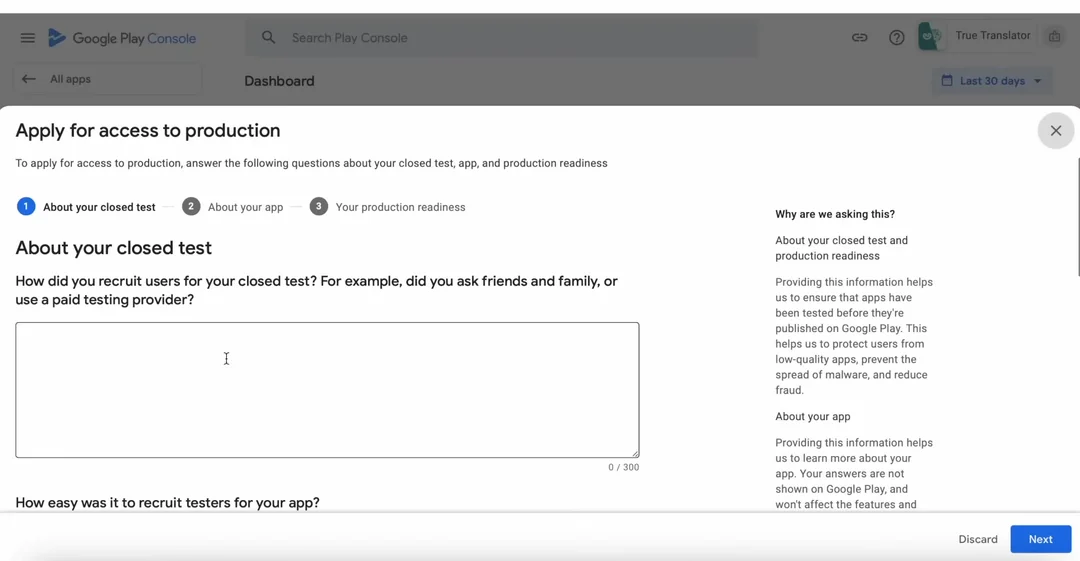
- Click Apply for production. The questionnaire opens. This is the form this guide is about.
- Answer every question with specifics. Numbers, named fixes, real feedback. The question-by-question sample answers below show exactly what that looks like.
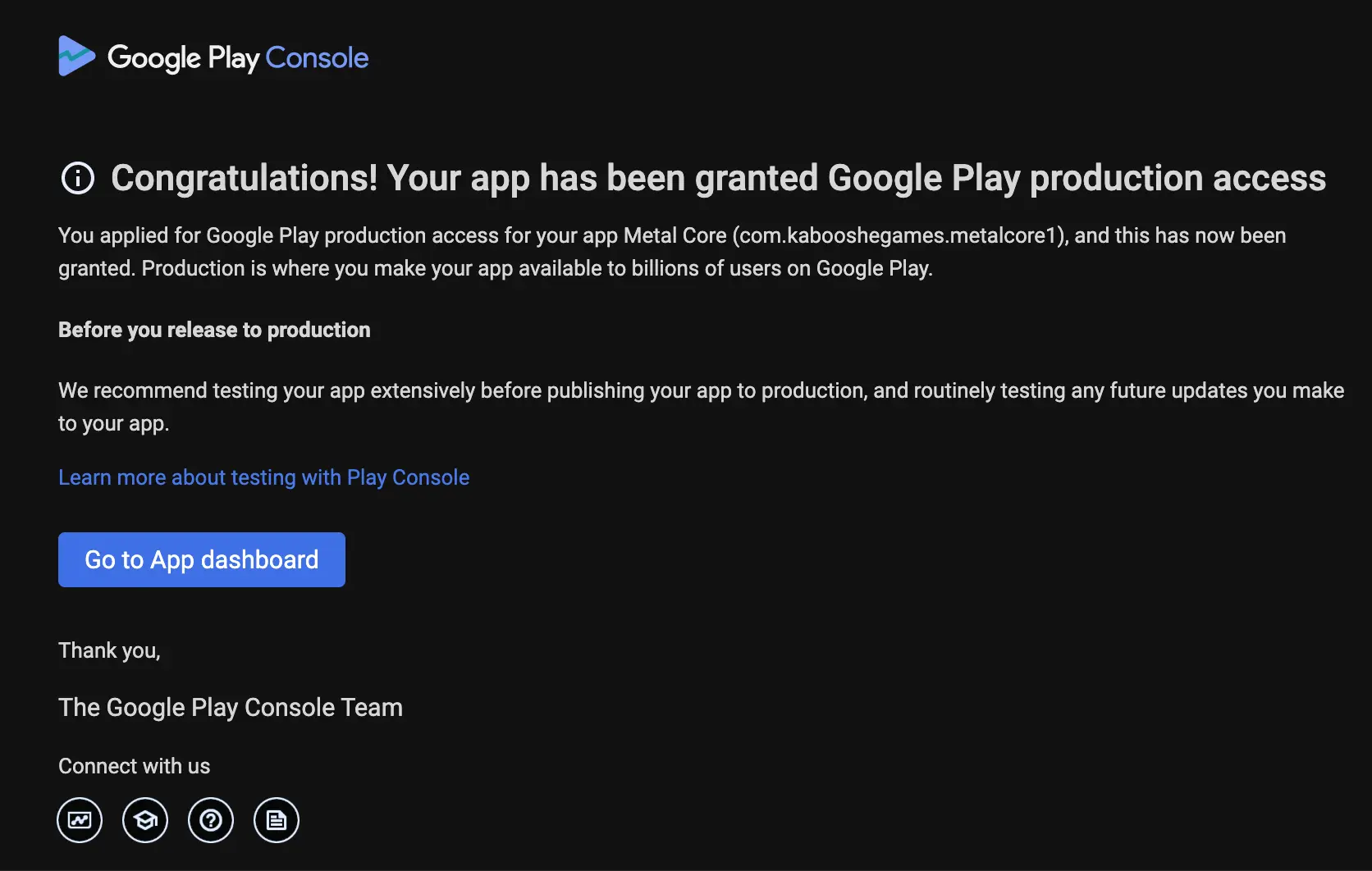
- Submit and wait for the decision. The result typically arrives within 48 hours. You can keep your closed test running while you wait. After approval, the production release you roll out goes through a fuller review that averages up to 7 days.
Button not clickable? Then the 14-day, 12-tester requirement is not complete yet, usually because testers never finished the opt-in flow. The fix guide for the "have at least 12 testers opted-in" message walks through every cause.
How to Write the Production Access Questionnaire
Four principles decide whether your answers pass the Google Play production access application questions, whatever your app is:
Be specific
Tester counts, device models, Android versions, version codes. One concrete number beats a paragraph of adjectives.
Include one critical item
Name at least one negative piece of feedback and the fix you shipped. A test that found nothing reads as a test that never happened.
Tie changes to shipped updates
Every change you claim should map to an update you actually released during the test, ideally with its version number.
Never paste generic praise
"Testers loved the app, no issues found" is the single most common failing answer. It gives the reviewer nothing to verify.
The rest of this guide applies those principles to each question, with full sample answers you can adapt.
Question 1: "How did you recruit users for your closed test?"
"How did you recruit users for your closed test? For example, did you ask friends and family, or use a paid testing provider?"
Google asks this verbatim, and thousands of developers search this exact sentence. Here is the part that surprises most of them: there is no wrong source. Google explicitly lists paid testing providers as a legitimate option, right there in the question. The reviewer is not checking where your testers came from. They are checking whether the recruitment story is consistent with testers who behaved like real users.
Sample answer
"I recruited testers through Testers Community, a dedicated Android testing community. 15 testers opted in through my closed testing link within the first day. They installed the app on their own devices across different Android versions and countries, used it throughout the 14-day period, and sent feedback through the community's feedback reports and by email."
Avoid: answers that suggest fake engagement, such as "my family installed it on 12 phones". Twelve devices in one living room is exactly the pattern the review is designed to catch.
Question 2: "How easy was it to recruit testers for your app?"
This one is multiple choice: you pick from five options, from Very Difficult to Very Easy, instead of writing anything. It is not a trick question. The reviewer is checking consistency with your recruitment story from question 1, nothing more. If you told Google you used a testing community and 15 testers joined in a day, claiming recruitment was difficult would look odd, and the reverse holds too.
What to select
Easy is the truthful pick when recruitment went through a testing community: 15 testers opted in within the first day, so there is nothing to embellish. If you spent weeks persuading friends and colleagues one by one, select Difficult or Neither instead. This answer only needs to match the story you told in question 1.
Question 3: "Describe the engagement you received from testers"
This is the core question of the whole form, because engagement is the signal the closed testing requirement exists to measure. The reviewer wants evidence of sustained, real usage across the window: how often testers opened the app, which features they actually used, and whether activity lasted the full 14 days instead of spiking on day one and dying.
Sample answer
"Testers used the app 4 to 6 times per week across the full 14 days. All 15 completed the core flows on their own devices: planning a weekly menu, searching recipes, and saving favorites, on phones ranging from Android 12 to Android 15 and from small screens to tablets. Engagement stayed steady rather than front-loaded: session activity continued through the final week, and testers sent feedback continuously through the community's feedback reports and by email as they used the app."
Question 4: "Provide a summary of the feedback that you received"
"Provide a summary of the feedback that you received from testers. Include how you collected the feedback."
Concrete beats glowing. List 3 to 5 specific pieces of feedback, and include at least one negative or critical item. Reviewers distrust tests that found nothing, because a real 14-day test with 12 or more people always surfaces something: a confusing label, a layout issue on a small screen, a crash on one Android version.
Sample answer
"Main feedback themes: (1) Three testers reported that the onboarding screen text was cut off on smaller devices (fixed in version 1.0.2). (2) Two testers found the search filter confusing and suggested clearer labels, which I implemented. (3) One tester on Android 12 reported a crash when rotating the results screen, which I reproduced and fixed. (4) Several testers asked for a dark mode, which I have added to the roadmap. Overall session data showed testers returning 4 to 6 times per week. Feedback was collected through the testing community's feedback reports, by email, and through a short survey form I sent in the final week."
Notice the shape of that answer: numbered themes, tester counts, device details, and the outcome of each item. That structure takes two minutes longer to write and is the difference between an answer that reads like evidence and one that reads like hope.
Question 5: "Who is the intended audience for your app?"
This one is less about your test and more about you. Google wants to see that production is a deliberate step for a defined audience, not a lottery ticket. Name the user, the launch markets, and where you expect early users to come from.
Sample answer
"The app is aimed at home cooks aged 20 to 45 who want quick recipe planning. Initial launch targets English-speaking markets (US, UK, India), expanding to Spanish and Portuguese localizations next quarter. Based on closed test behavior, I expect early users to come from organic Play Store search for recipe planner keywords."
Question 6: "Describe how your app provides value to the users"
This is where Google filters out thin apps. Minimum-functionality concerns surface on exactly this question: if you cannot articulate a concrete problem your app solves, the reviewer will wonder whether the Play Store needs it. Name the problem, the user it belongs to, and two or three features tied to real outcomes, not a feature list.
Sample answer
"The app solves weekly meal planning for busy home cooks. Instead of juggling bookmarks and screenshots, users plan a full week of meals in about five minutes: the planner suggests recipes based on ingredients they already have, the shopping list builds itself from the chosen recipes, and saved plans can be reused and shared. During the closed test, several testers said the app replaced two things they used before, a notes app and a recipe website, with one flow."
Question 7: "How many installs do you expect in your first year?"
Multiple choice again: you select a range rather than writing an answer. The reviewer is checking realism and consistency with your audience answer, not ambition, and the estimate is not a commitment anyone comes back to verify. Most first apps from a new developer land under 10,000 installs in year one.
What to select
A realistic range for a new app launching on organic Play Store search. Pick a larger range only if you have an existing audience or marketing reach to justify it, and make sure the number squares with the audience you described in question 5. An unknown developer claiming 100k+ installs with no channel behind it reads as wishful, not confident.
Question 8: "What changes did you make based on your closed test?"
Tie each change to a piece of feedback from question 4, so the two answers corroborate each other. Mention version numbers if you shipped updates during the test. Shipping at least one update mid-test is a strong engagement signal: it shows a live feedback loop between you and your testers, which is exactly what the closed testing requirement exists to create.
Sample answer
"Based on tester feedback I released two updates during the closed test. Version 1.0.2 fixed the onboarding text truncation and the rotation crash on Android 12. Version 1.0.3 renamed the search filters and added tooltips. I also rewrote the app description after testers said the screenshots did not explain the core feature."
Question 9: "How did you decide that your app is ready for production?"
The reviewer wants a readiness signal grounded in the test, not a feeling. Stability numbers, completed core flows, and the shift from bug reports to feature requests all work well here.
Sample answer
"All crashes reported during the 14-day closed test are fixed and the final build showed zero crashes across 15 testers. Core flows were completed by every tester without guidance. Feedback in the final week shifted from bug reports to feature requests, which I took as the signal that the app is stable enough for a public audience."
Question 10: "What did you do differently this time?"
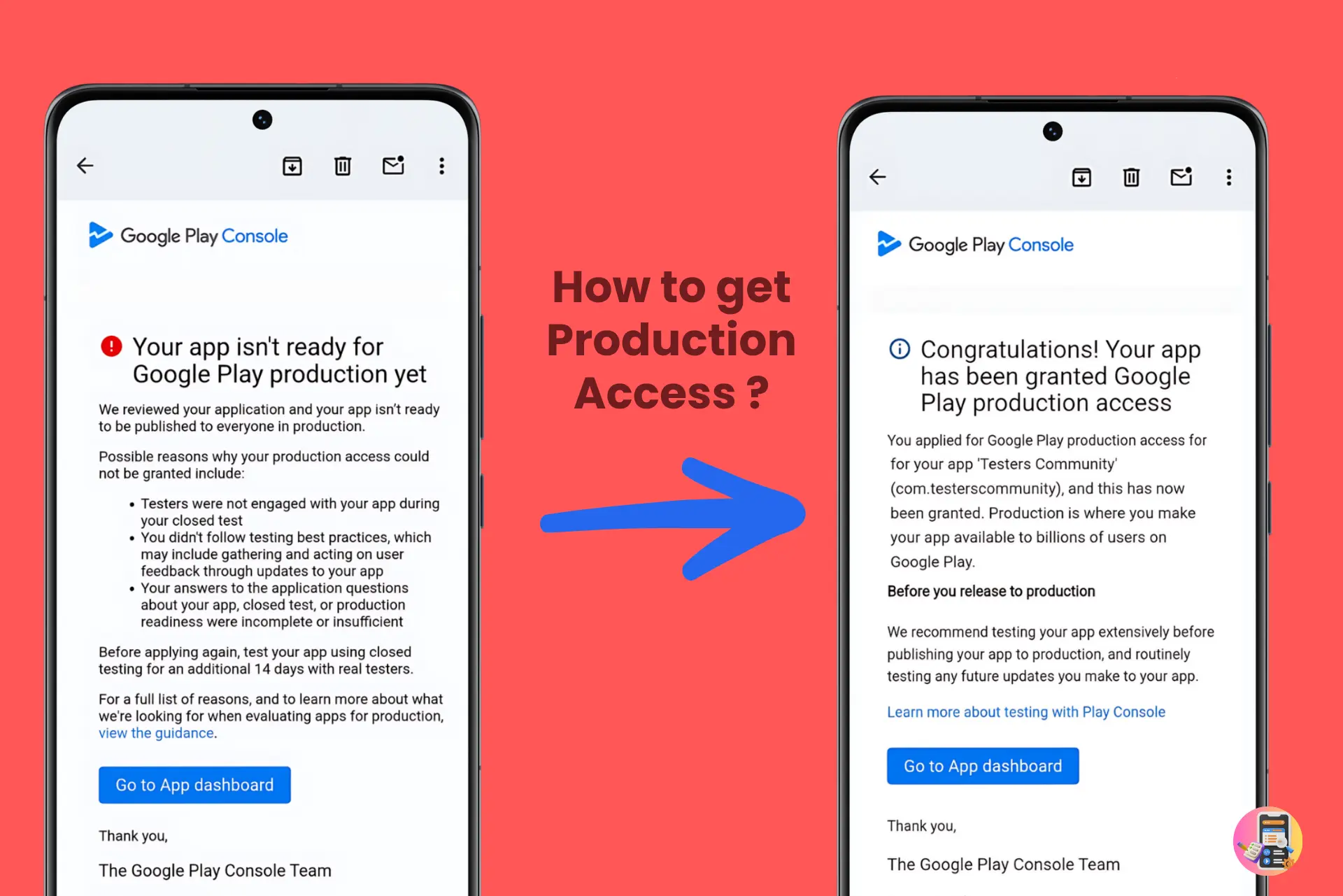
This final question is aimed at repeat applications: if your first application was not approved, Google wants to know what changed. This is the moment to show a genuinely different test, not the same test run twice. Describe new testers, higher engagement, updates shipped during the second window, and the concrete feedback that came out of it. An answer that says "I ran the test again for 14 more days" with nothing new behind it tends to produce the same rejection.
Sample answer
"For the second closed test I recruited 15 new testers through Testers Community instead of relying on friends and family. Engagement was much higher this time: testers used the app daily across the full 14 days and sent 9 pieces of feedback through the community's feedback reports. I shipped two updates during the test: version 1.1.1 fixed a login crash on Android 13, and version 1.1.2 redesigned the onboarding flow that three testers called confusing. I also rewrote my store screenshots based on their comments."
Our full guide on the "more testing required" rejection covers this scenario in depth, including the three real reasons Google rejects applications. And if the problem was that your opted-in count never looked healthy in the first place, start with the fix guide for the "have at least 12 testers opted-in" message.
Want the Production Access Guarantee? Use the Paid Version
The production access guarantee comes with the paid version of Testers Community, not the free route. If you would rather not write these answers at all, or you want the guarantee behind your application, this is the option. Verified testers begin joining within 6 hours through our Android app testing service, use your app for the full 14 days, and you get the answers to the questionnaire automatically, written from your real test. Over 10,000 apps have been published this way, backed by a simple promise: approved, or your money back.
Starter, $15
15 verified testers for the full 14-day cycle, three more than Google's minimum of 12, with a feedback report you can quote directly in your form answers.
Prefer the free route? The Testers Community app is a developer exchange used in 180+ countries, with 50,000+ apps published through it: you test other developers' apps to earn credits, then get 12+ testers on your own app, typically within 36 hours of posting. Either way, you walk into the questionnaire with a test worth describing. See plans and pricing for the full comparison.
Do not want to write any of this yourself?
That is exactly what Testers Community is for. We put 15 professional testers on your app for the full 14 days, and once they have used it, we share the actual answers to use for each of these 10 questions, written from your real test. So instead of drafting the whole questionnaire yourself, you check the pricing page and we handle both the testing and the answers for you. Approved, or your money back.
Frequently Asked Questions
Can I say I used a paid testing provider on the production access form?
Yes. Google's own question lists paid testing providers as an expected recruitment method. What Google evaluates is whether the testers engaged with your app like real users, not where they came from.
What questions does Google ask on the production access form?
The form has 10 questions: how you recruited testers for your closed test, how easy recruitment was (multiple choice), the engagement you received from testers, a summary of the feedback and how you collected it, who the intended audience for your app is, how your app provides value to users, how many installs you expect in your first year (multiple choice), what changes you made based on the closed test, how you decided your app is ready for production, and what you did differently this time.
How many questions does the Google Play production access form have?
10 questions. Eight are free text and two are multiple choice: how easy it was to recruit testers for your app, and how many installs you expect your app to have in its first year.
Are all production access questions free text?
No. Two of the 10 are selections rather than written answers: the recruitment difficulty question (five options from Very Difficult to Very Easy) and the expected first-year installs question (ranges such as 1k to 10k). Pick options that stay consistent with your written answers.
How long does Google take to review a production access application?
The result typically arrives within 48 hours. You can keep your closed test running while you wait. Note that this is only the application decision: after approval, the production release itself goes through a fuller review that averages up to 7 days and can take longer.
What happens if my production access application is not approved?
Google shows "Your app isn't ready for Google Play production yet" and asks you to run closed testing for another 14 days before reapplying. Use the extra cycle to generate stronger engagement and concrete feedback.
Do short answers fail the production access form?
Length is not the criterion, specificity is. Two sentences with device models, tester counts, and a named fix beat three paragraphs of generic praise.
Should I mention negative feedback on the form?
Yes. Include at least one critical piece of feedback and the fix you shipped for it. Reviewers distrust closed tests that apparently found nothing, because real testing always surfaces something.
Where is the Apply for production button in Play Console?
On your app's Dashboard in Play Console. Once your closed test has had at least 12 testers opted in for the last 14 days continuously, the "Apply for production" task appears on the publishing checklist. Click it and the questionnaire opens.
Why is my Apply for production button greyed out?
Because the requirement is not complete yet. You need at least 12 testers continuously opted in to your closed test for the last 14 days. If testers never accepted the invitation or your count dipped during the window, the checklist does not unlock. Fix the opt-ins first and the button becomes clickable.
How do I write the Google Play production access questionnaire?
Be specific. Use real numbers such as tester counts and version codes, include at least one critical piece of feedback and the fix you released for it, and tie every claimed change to an update you actually shipped during the test. Specific, verifiable answers pass; generic praise fails.
Bottom line
The production access form is not a writing test, it is an evidence test. Recruit real testers through Google Play closed testing, collect specific feedback, ship at least one change, and every question answers itself. If you still need the testers, you can get 12 testers and more within 6 hours and walk into the questionnaire with a test Google wants to approve.
Official links
- Google Play testing requirements for production access
- Production access rejected? The three real reasons
- Fix "have at least 12 testers opted-in to your closed test"
Walk Into the Form With Real Answers
Verified testers join within 6 hours, stay engaged for the full 14 days, and send the feedback your production access application needs. Approved, or your money back.
Sources
- App testing requirements for new personal developer accounts, Google Play Console Help
- Everything about the 12 testers requirement, Google Play Developer Community