
If you just saw this message in Play Console and searched it word for word, you are in the right place. It is not an error. It is Google Play's testing requirement for new developer accounts, and this guide explains what it means, how to complete it, and everything that happens after, all the way to a live app.
Quick answer
"Have at least 12 testers opted-in to your closed test" is not an error. It is Google Play's testing requirement for personal developer accounts created after November 13, 2023: before your app can go live, 12 real people must join your closed test through your opt-in link and stay for 14 days. After that you apply for production access, Google checks tester engagement, and your app moves to production. This page explains what the message means, how to complete it, and what happens after the 14 days.
What This Message Actually Is
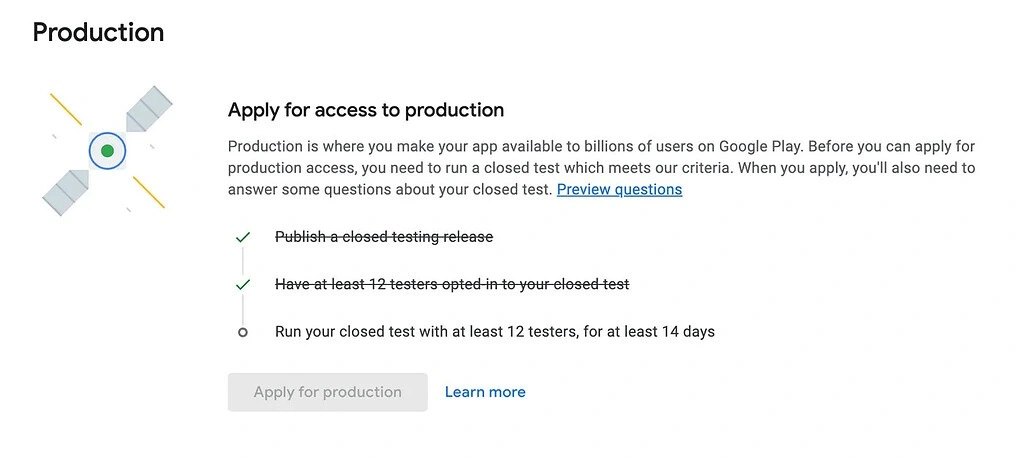
The message appears in Google Play Console on your app's Dashboard, inside the publishing overview and the production access checklist. It is a requirement checklist item, not a warning about something you broke. Google introduced it with its testing policy in November 2023: every personal developer account created after November 13, 2023 must prove a new app was genuinely tested before that app can be published to production.
Concretely, the policy says your app must run a Google Play closed testing release with at least 12 testers opted in for the last 14 days. It applies per app, so every new app you publish from the account repeats it. Organization accounts registered with a D-U-N-S number are exempt, and so are personal accounts created before the cutoff date. Wondering whether 12 is really the number to aim for? See how many testers you need for Google Play.
The Console checklist tracks two separate things:
Checklist item 1
Run your closed test with at least 12 testers
You published a closed testing release and testers joined it. This is about the test existing and being populated.
Checklist item 2
Opted-in count
How many testers have actively accepted your test invitation right now, and for how many days in a row.
In plain terms: Google wants proof that 12 real people are testing your app before it lets the public see it. The rest of this guide is how you deliver that proof and what happens next.
When the Counter Moves (and Why Yours Says 0)
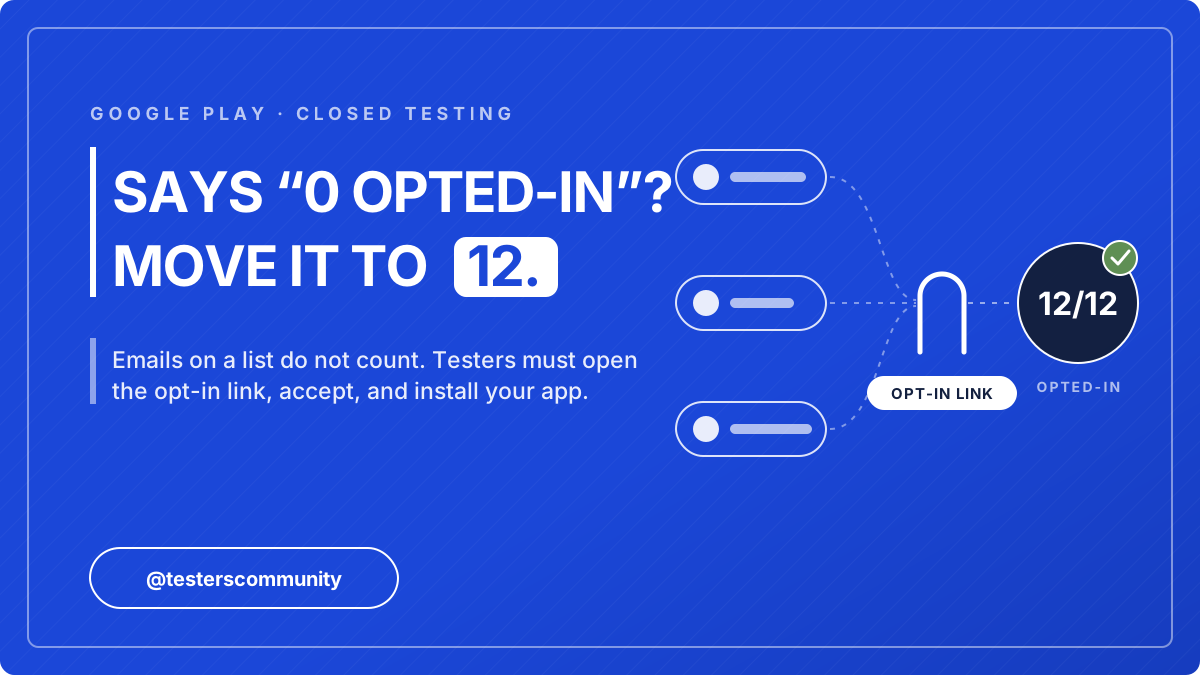
The opted-in number only increases when a tester opens your opt-in link, accepts the invitation with the exact Google account you invited, and installs the app from your closed testing Play Store link. Adding email addresses to a tester list does nothing by itself, because Google never notifies the people on it. Sending invites, sharing an APK, or installs from anywhere else do not move it either.
If your counter is stuck at 0 even though you added testers, it is almost always one of these four mechanical reasons:
- Nobody opened the opt-in link The cause in most cases. When you add testers by email list or Google Group, Google does not notify them. You must copy the opt-in URL yourself and send it to every tester. There is a web link and a Play Store link; the web link is the one that registers the opt-in.
- Testers opened the link with the wrong Google account The account that opens the opt-in page must be the same account you added to the tester list, and the same account signed in to the Play Store on their phone. A tester with two Gmail accounts will hit "you are not eligible" or opt in silently with the wrong identity.
- Your closed testing release is not actually live A closed test only accepts opt-ins after the release is rolled out and has passed review. If your release still says "In review" or you saved it as a draft without clicking "Roll out", nobody can opt in. Check Testing > Closed testing > Releases for a green "Available to testers" status.
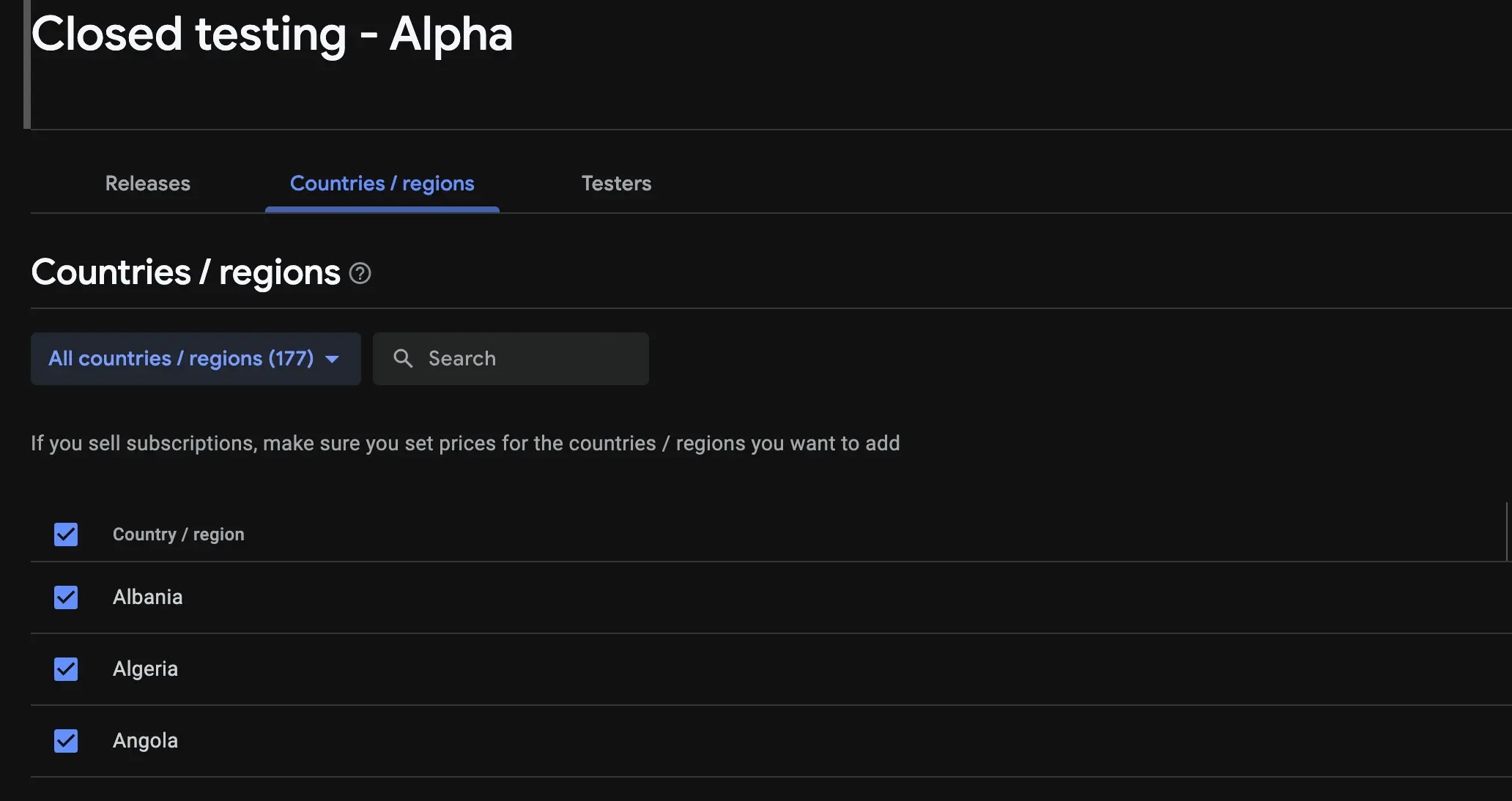
- Country availability excludes your testers Closed testing releases have their own country list. If you only selected your home country and your testers are elsewhere, their opt-in fails. Unless you have a specific reason not to, select all countries for the closed track.
One nuance: strictly, accepting on the web link is what moves the counter, even before installation. But testers who opt in and never use the app contribute nothing when Google evaluates engagement later, so treat "opted in, installed, and actually using the app" as the real bar. And give the Console a few hours; the count updates with a lag. If testers swear they joined and the number still looks wrong after 24 hours, the tester almost certainly accepted with a different Google account than the one you invited.
Good to know: dropping below 12 testers later does not reset or pause the 14-day clock. The clock keeps running. Google evaluates how engaged your testers were at the production access review after the test, which is why a buffer of 15 to 25 active testers is the safest way to pass.
Where to Find Your Opt-In Link in Play Console
The opt-in link never gets emailed to your testers automatically, so knowing exactly where it lives is half the job. The full click path in Google Play Console is:
Play Console > Test and release > Testing > Closed testing > your track > Testers tab > "How testers join your test" > Copy link
You will find two links there, and the order testers use them in matters:
Link 1 - web opt-in link
The link testers must open first. It shows the "Become a tester" page where they accept the invitation with the invited Google account. This is the click that moves your opted-in counter.
Link 2 - Play Store link
Where testers install the app after accepting. Opening this link without accepting on the web link first does nothing for the counter.
One difference worth knowing between the two ways of adding testers: with an email list, the link works as soon as the address is on the list; with a Google Group, the tester must first join the group with the same Gmail they use in the Play Store, or the opt-in page will reject them. And do not confuse tracks: internal testing has its own separate opt-in link, and internal testers do not count toward the 12 testers requirement.
How to see your opted-in tester count
The live number appears in two places: on your app's Dashboard, inside the publishing-requirements task card that shows this message, and on the Closed testing track page itself. Both update with a lag of a few hours after a tester accepts, so check back before assuming an opt-in failed.
How to Get Your 12 Testers
Understanding the requirement is the easy part. Finding 12 strangers who opt in correctly and stay engaged for 14 days is what stalls most developers. Friends and family lose interest after two days, and Google notices weak engagement when it reviews your production access application. Two proven routes:
Free - developer exchange
The Testers Community app
A developer exchange used in 180+ countries, with 50,000+ apps published through it. The process: install the app, test other developers' apps to earn credits, then post your own app's opt-in link. 12+ testers typically join within 36 hours of posting, and they know exactly how opt-in works because they are developers too.
Fast - verified testers in 6 hours
The Testers Community service
The process: submit your closed testing opt-in link on our Android app testing service, and verified testers begin joining within 6 hours. Starter is $15 for 15 testers, three more than Google's minimum of 12. Testers stay engaged for the full 14 days and send feedback you can quote in the production access form. Over 10,000 apps have been published with it. Approved, or your money back.
Either way, the opted-in counter moves within hours, stays above 12 for the full 14 days, and the engagement Google checks later is actually there.
Can Someone Do This for Me?
Yes. If you do not have 12 Android users to hand, a testing service can supply the testers, hold the opt-ins for the full 14 days, and send you the feedback to quote in your production access form. You still own the Play Console steps: creating the closed testing track, uploading the build, and applying for production access when the 14 days are up.
Paid, starting within 6 hours. On our Android app testing service, the Starter plan is $15 for 15 verified testers, three more than the 12 Google asks for. You submit your opt-in link, testers begin joining within 6 hours through a Google Group, stay opted in for the full 14 days, and send feedback. Approved for production access, or your money back. TWA apps are the one thing the service does not accept.
Free, through the developer exchange. In the Testers Community app you test other developers' apps to earn credits, then post your own opt-in link. Testers are developers themselves, so they know how opt-in works, and 12 or more typically join within 36 hours. It costs time instead of money.
Whichever route you take, one thing cannot be delegated: the production access form is written by you, and it asks what your testers found. A service that sends you their feedback makes that part easy. Recruiting friends who never open the app makes it hard.
The Full Timeline: From 12 Testers to a Live App
Completing the 12 testers requirement is step one of a longer journey. Here is everything that happens between your closed test and your app going live, with realistic timings for each stage.
- Run the closed test for 14 days Keep 12 or more testers opted in through your link for 14 days. Dropping below 12 along the way does not reset or pause the clock; the 14 days keep counting.
- Apply for production access After 14 days, the Apply for production button unlocks. You answer a short questionnaire about how you recruited testers and what feedback you received. Our guide to the production access form answers covers every question with samples.
- Google checks tester engagement Google reviews your application and looks at how genuinely your testers used the app during the test. The result typically arrives within 48 hours.
- Rejected or approved If engagement was weak, Google says your app is not ready and asks you to run the closed test again; see production access rejected for that scenario. If engagement was real, production access is approved.
- Push your app to production Approval does not publish anything by itself. You create a production release and roll it out, and that release goes through a fuller Google review, which averages up to 7 days and can sometimes take longer.
- Your app is live on the Play Store Once the production review clears, your app is publicly available. Updates from here on do not repeat the 12 testers requirement; only new apps on the account do.
Realistic total: 14 days of closed testing, a production access result typically within 48 hours, then a production review that averages up to 7 days. Plan for roughly three weeks from your first opted-in tester to a live app, and more if Google asks you to retest.
The Exact Requirement, In Google's Own Words
This is the sentence Play Console shows when you try to apply for production access early, and thousands of developers paste it into Google word for word:
"When you apply for production access, at least 12 testers must be opted-in to your closed test. They must have been opted-in for the last 14 days continuously."
Each clause means something specific:
"Opted-in"
Accepted your invitation through the opt-in link. Being on the tester list, receiving an invite, or installing the app some other way does not qualify.
"The last 14 days"
A rolling window that ends today, not a fixed calendar period. The Console counter shows how many days your current 12+ testers have been continuously opted in, and the application unlocks when that streak reaches 14.
"Continuously"
The streak Play Console tracks. Testers who stay opted in keep it alive; a tester actively opting out shrinks your count, though the 14-day clock itself never resets.
If your Console once said "at least 20 testers must be opted-in", that was the original version of this policy. Google launched it in November 2023 with 20 testers and reduced the number to 12 in late 2024.
Frequently Asked Questions
Is "have at least 12 testers opted-in to your closed test" an error?
No. It is Google Play's testing requirement checklist item for personal developer accounts created after November 13, 2023. Before such an account can publish an app to production, the app must run a closed test with at least 12 testers opted in for the last 14 days. The message simply shows how far along that requirement you are.
What happens after the 14 days of closed testing?
The Apply for production button unlocks in Play Console. You answer a short questionnaire about your test, and Google reviews the application while checking how engaged your testers were. The result typically arrives within 48 hours.
How long does Google take to approve production access?
The production access application result typically arrives within 48 hours of submitting the questionnaire. If tester engagement was weak, Google rejects and asks you to run the closed test again; if it was real, production access is approved.
How long does the review take after pushing to production?
After production access is approved you still need to create and roll out a production release. That release goes through a fuller Google review, which averages up to 7 days and can sometimes take longer. Once it clears, your app is live on the Play Store.
Why does Play Console say "0 testers currently opted-in" when I added 20 emails?
Adding emails to a tester list does not opt anyone in. Each tester must open your opt-in link, accept the invitation with the invited Google account, and install the app. Copy the link from Testing > Closed testing > Testers and send it to them directly.
How long does the opted-in count take to update?
Usually within a few hours of a tester accepting the invitation. If nothing changes after 24 hours, the tester almost certainly used a different Google account than the one you invited.
Does the 14-day timer reset if I drop below 12 testers?
No. The 14-day clock keeps running even if your count dips below 12. What matters is the production access review after the test, where Google evaluates how engaged your testers were. A buffer of 15 to 25 active testers is the safest way to pass.
Do opted-in testers need to keep the app installed for all 14 days?
A tester counts as opted in until they actively opt out. But engagement is judged at production review, so you want testers who genuinely open and use the app across the window, not ghost installs.
What is the fastest way to get 12 testers opted in?
A dedicated testing community. The free Testers Community app delivers 12+ testers in about 36 hours once you have earned credits, and the paid service assigns verified testers within 6 hours.
Where is the opt-in link in Google Play Console?
Go to Test and release > Testing > Closed testing, select your track, open the Testers tab, and scroll to "How testers join your test". Copy both the web opt-in link and the Play Store link. Testers must open the web link first and accept with the invited Google account.
Why does Google say testers must be opted in for the last 14 days continuously?
The requirement is a rolling window: at the moment you apply for production access, your closed test needs at least 12 testers whose opt-in streak covers the previous 14 days without a break. That is why Play Console shows how many days your current testers have been opted in.
Is the requirement 12 or 20 testers?
12. Google launched the policy in November 2023 requiring 20 testers and reduced the number to 12 in late 2024. If a Console message, article, or video says 20 testers, it is outdated.
Can someone do the 12 testers for me?
Yes. A testing service supplies the testers, holds the opt-ins for the full 14 days and sends feedback you can quote in the production access form; Testers Community's Starter plan is $15 for 15 verified testers who start within 6 hours. The free Testers Community app does the same through a developer exchange, paid for in testing time instead of money. The Play Console steps, and the production access form itself, stay with you.
Bottom line
"Have at least 12 testers opted-in to your closed test" is Google's way of saying your app has not completed its required closed test yet. Get 12 real people to join through your opt-in link, keep them for 14 days, apply for production access and expect a result within about 48 hours, then push to production and allow up to 7 days for the final review. That is the whole road from this message to a live app, and the free community app or verified testers within 6 hours cover the hardest step.
Official links
- Google Play closed testing, explained
- Google Play testing requirements for production access
- Set up an open, closed, or internal test (Google's own steps)
Complete the 12 Testers Requirement Today
Verified testers begin joining within 6 hours, opt in with the right accounts, and stay engaged for the full 14 days. Approved, or your money back.
Sources
- App testing requirements for new personal developer accounts, Google Play Console Help
- Set up an open, closed, or internal test, Google Play Console Help
- Everything about the 12 testers requirement, Google Play Developer Community