
Google Play will not let your first app go live until 12 people have been opted in to your closed test for 14 continuous days. Nothing in that rule says you have to pay for them. Below are the five ways developers actually get those 12, four of them free, starting with the one that works best.
The short answer
The most reliable free way to get 12 testers for 14 days is the Testers Community app. You test three other developers' apps to earn 60 credits, which takes about 15 to 20 minutes, then list your own app and join a Pack: 16 developers who open each other's apps every single day. That hands you 15 testers, three more than Google's minimum, held for longer than the 14 continuous days you need, at no cost. The other free routes (friends and family, Reddit, your own audience) work as a buffer on top, but none of them keeps people showing up on day 12 the way a Pack does.
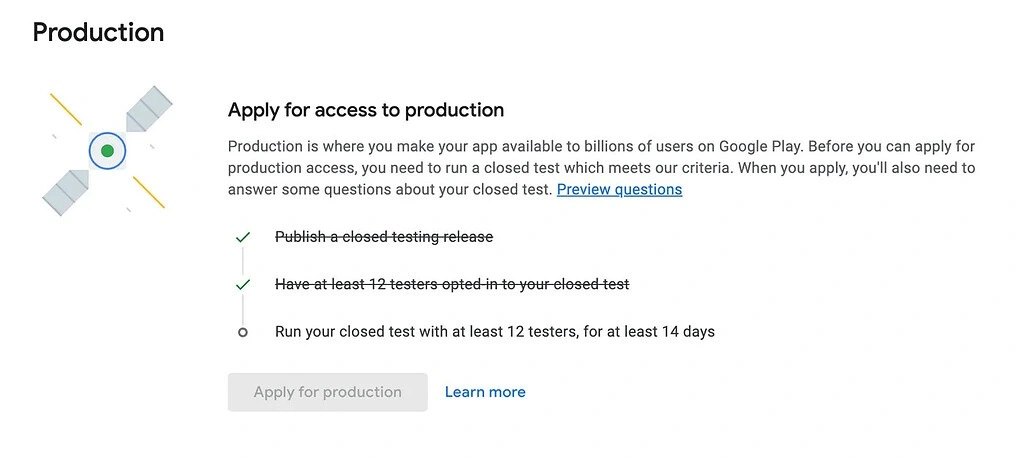
What Google Actually Requires
Since November 2023, every personal developer account created after 13 November 2023 has to prove a new app was genuinely tested before that app can reach production. The rule is short: publish a closed testing release, have at least 12 testers opted in, and keep the test running for 14 continuous days. Only then can you apply for production access.
Two groups are exempt and never see any of this: organisation accounts, and personal accounts created before 13 November 2023. If you are exempt, you can stop reading. If you are not, the requirement is a one-time gate on the account, so you pass it once and never think about it again.
Worth knowing before day 1: if your active tester count dips below 12 partway through, nothing resets. The 14-day clock keeps running. The moment that actually decides the outcome is the production access review at the end, where Google looks at how genuinely your testers engaged with the app. That is why 12 silent installs is a worse position than 12 people who open the app twice a week.
If any of the vocabulary is new, two companion guides cover it in full: what "have at least 12 testers opted-in" means and how many testers you actually need. For the Play Console screens themselves, use the setup guide.
Why Most Free Tester Hunts Fail
Developers who fail the free route almost never fail because they could not find 12 people. They fail for one of three reasons, and two of them are mechanical.
01
The opt-ins never registered
People installed the app, said they were in, and the Console counter stayed at zero. Adding an email address to a tester list notifies nobody. The tester has to open your opt-in web link, accept with the exact Google account signed in to their Play Store, and then install.
02
The testers went quiet by day 6
Free testers who owe you nothing behave exactly like free testers who owe you nothing. Twelve installs on day one and silence afterwards is the single most common shape of a failed closed test, because engagement is what gets judged at the end.
03
The release was never published
Google approving your closed testing release and the release being live are two different things. If you never clicked Publish after approval, or the country list excludes where your testers are, nobody can opt in no matter how many people you found.
Reason 2 is the one no amount of effort fixes on its own, and it is the reason the five methods below are ranked the way they are. A source that supplies people is easy to find. A source that keeps those people opening your app for two weeks is not.
The Five Methods, Ranked
Four are free and one is not. They are ordered by the only thing that matters, which is whether the people you find are still opening your app on day 12.
Method 1. Testers Community, Free
This is the first thing to try and the only free method that supplies all 12 testers by itself. The Testers Community app is the biggest free testing community for Google Play closed testing, it runs in 180+ countries, and 50,000+ apps have been published through it. The app is free to download, the credits are earned rather than bought, and no payment is involved at any point.
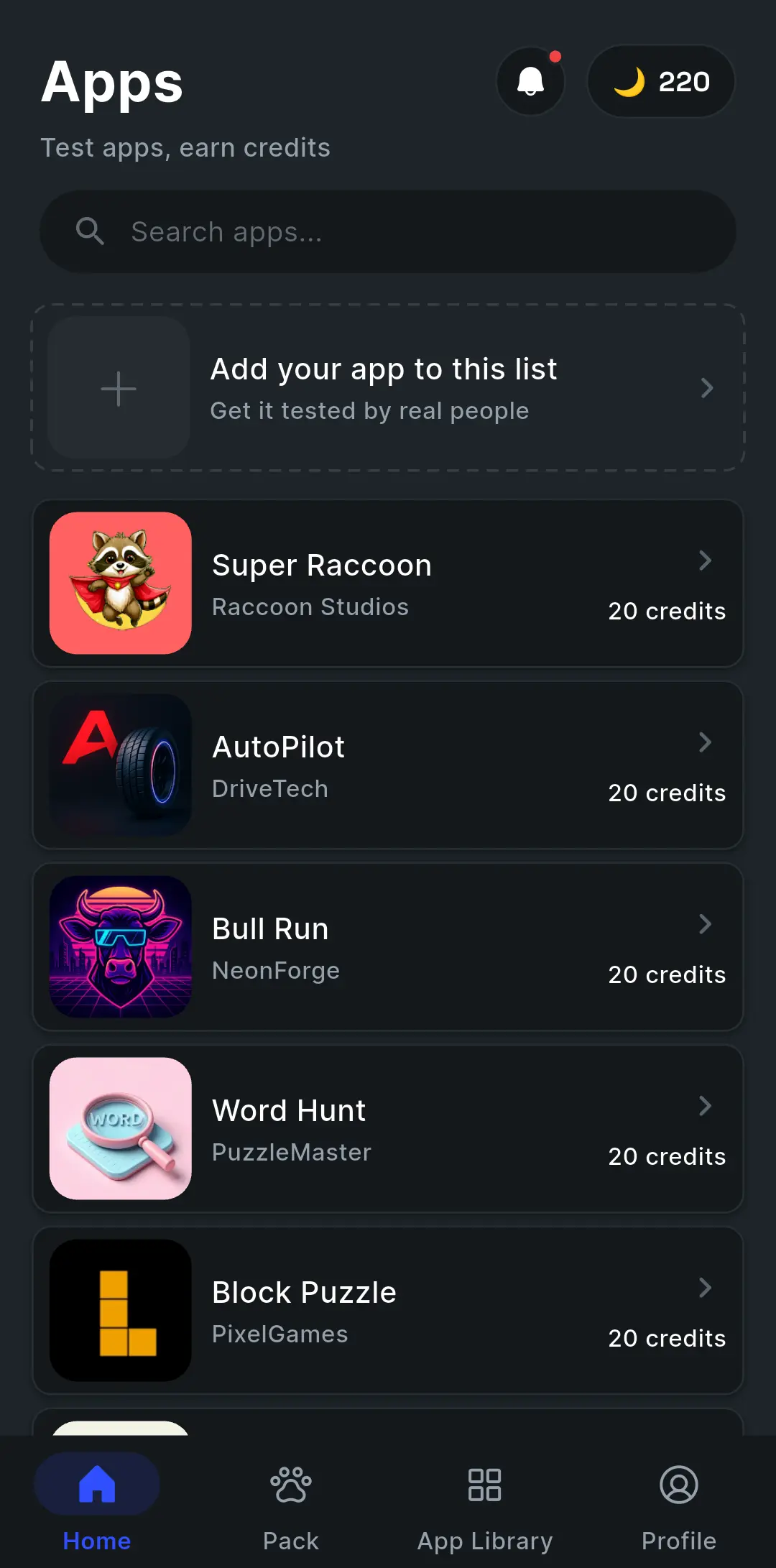
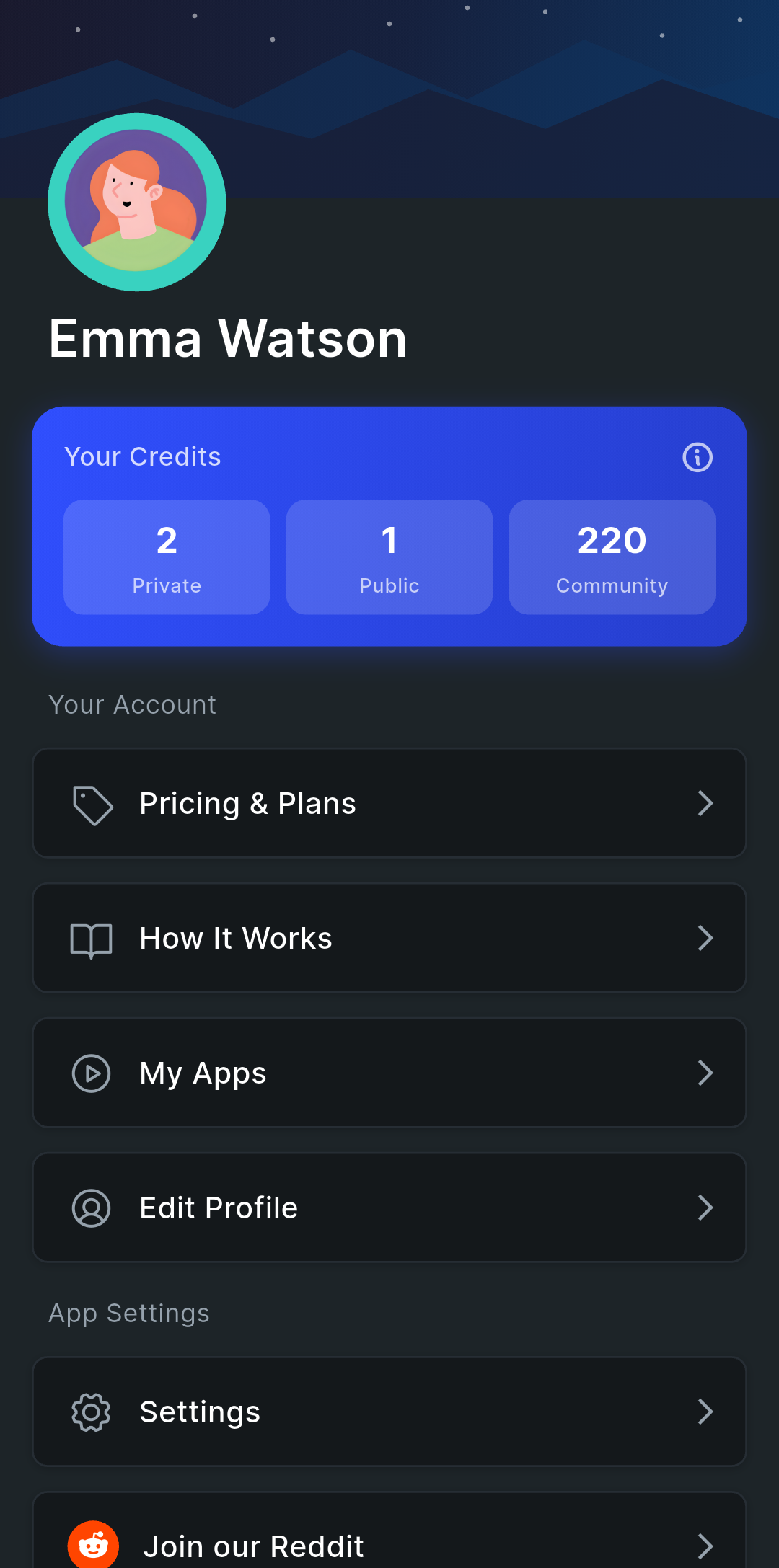
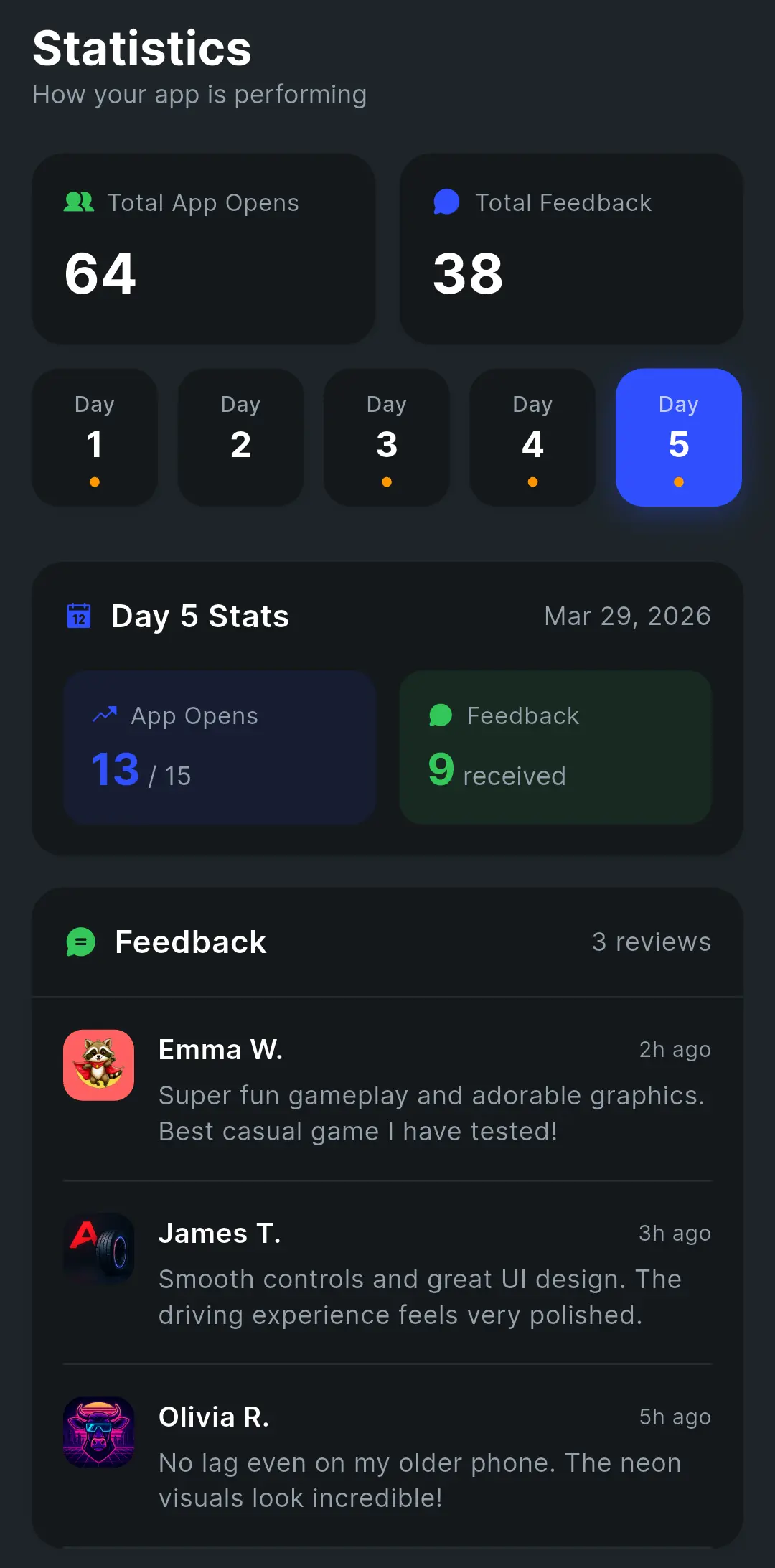
Access works through a Google Group. Everyone who signs up in the app joins
testers-community@googlegroups.com, and you add that one group address under Google Groups
in your closed testing track. Every community member who opens your opt-in link is then already
eligible, and you never maintain an email list by hand.
There are two systems inside the app, and they are designed to be used together.
Quick Apps: the credit exchange
Quick Apps is a feed of apps from other developers who need testers. You pick one, download it, use it for a few minutes, and leave feedback. Each app you test earns 20 credits. Test three and you have 60, which is what it costs to list your own app in the feed so other developers install and test yours.
Earning 60 credits takes about 15 to 20 minutes, not weeks. A test is a download, a few minutes of real use, and a note. You are not testing someone else's app for 14 days to earn credits. Once your app is listed you can re-list it every 4 days for another wave of installs.
Quick Apps is excellent at volume and weak at rhythm. It gets your app installed, but the people who install it have not promised to open it tomorrow. That is what the second system is for.
Packs: 16 developers, daily accountability
A Pack is a group of exactly 16 developers who commit to opening each other's apps every single day. You are one of the 16, so 15 other developers test your app, which clears Google's 12 with three to spare, and a Pack cycle runs longer than Google's 14 continuous days, so the window is covered end to end.
Joining costs 100 credits, and a Pack moves through three phases.
Phase 1
Gathering
The Pack opens with 16 slots and fills as developers join, each spending 100 credits. Nothing is required of you yet. Leaving at this stage costs 50 credits, which is what stops people from claiming a slot casually and leaving fifteen others waiting.
Phase 2
Installing
Once all 16 slots fill, everyone has 24 hours to install the other 15 apps. Anyone who does not is removed and the slot reopens. An app that collects 7 or more reports from Pack members is removed the same way. If the Pack cannot advance within 5 days, it is cancelled and everyone gets a full credit refund.
Phase 3
Active
The countdown begins. Every day, every developer is assigned tasks: open each of the other 15 apps, use them, send feedback. The app sends daily reminders and tracks every task. Leaving at this stage costs 200 credits, because fifteen people have already committed two weeks to your app.
The accountability lives in the daily task system, and it is the reason a Pack behaves differently from every other free source on this page:
| Your day | What it means | Result |
|---|---|---|
| Perfect day | 100% of tasks completed | 15 credit points, plus a 50-point bonus for a full run of perfect days. |
| Safe zone | 70% or more completed | No strike, no reward. Your buffer for a bad day. |
| Strike | Under 70% completed | Three strikes and you are removed from the Pack, and your app leaves with you. |
Your free plan, start to finish
- Before day 0 Publish your closed testing release, add
testers-community@googlegroups.comunder Google Groups, select all countries, send for review and publish the changes. - Day 0 Download the app, test three apps in Quick Apps for 60 credits, and list your own app immediately. Installs start arriving while you keep going.
- Day 0 Keep testing until you reach 100 credits, then join a Pack. Credits keep accumulating while it fills.
- Gathering Wait for the 16 slots to fill. Re-list in Quick Apps every 4 days so your app is still collecting installs in the meantime.
- Installing Install all 15 other apps within 24 hours. This is the one hard deadline in the whole system.
- Active Complete your daily tasks, and ship a small visible change to your own app every few days so your testers have something to notice.
- After 14 days Your 14 continuous days are covered. Apply for production access and answer the 10 questions using the real feedback you collected.
Why it beats the other free routes
It supplies all 12 on its own
A Pack is 15 testers in one move. Every other free method on this page produces two, three or five people at a time and leaves you assembling the rest.
Going quiet has a consequence
Daily tasks are tracked, under 70% earns a strike, and three strikes removes that developer. No chat group, contact list or subreddit has anything like this, which is exactly why they leak testers by day six.
The testers are developers in your position
They know what opting in means, they use the right Google account, and they need your testing as much as you need theirs. Reciprocity does the work that reminders cannot.
One group address, no list to maintain
You add testers-community@googlegroups.com once. You are never collecting individual email addresses or editing the tester list as people join.
Said plainly: the free community has no production access guarantee, and it asks for real daily work. You test 15 other apps a day while yours is being tested, and you wait for a Pack to fill before the cycle starts. That is the honest trade: your evenings instead of your money. The guarantee belongs to method 5, which is the difference between the two.
The app is on Google Play, and the full breakdown of both systems lives on the Testers Community app page.
Method 2. Friends, Family and Coworkers
Where everyone starts, and the maths is harsher than it looks. You need 12 people who own an Android phone, will open a link on it, will accept with the right Google account, and will keep opening your app for two weeks. Roughly half of any contact list is on iPhone and cannot help at all, and of the half that remain, the wrong-Google-account problem takes out several more.
Use this for the first three to five testers, where you can sit next to someone and watch the opt-in register. Do not plan to reach 12 this way, and do not plan on them still being active on day 12.
Method 3. Reddit
Two subreddits exist for this exact trade: r/AndroidAppTesters and r/TestersCommunity. Post your opt-in link, and test other people's apps in return. The people there are developers in the same position as you, so they understand that installing is not the job and that opting in with the right Google account matters.
The cost is administration. You are tracking who joined, chasing the ones who went quiet, and doing the same testing back for every app you asked about, all by hand in comment threads. Posts also go stale within a day or two, so expect to post again as the window goes on.
Method 4. Your Own Audience, Meetups and Universities
If you have shipped anything before, run a newsletter, or have any following at all, these people already care about what you make. They open the app because they want the app, which is the only kind of engagement that survives fourteen days without being chased. One post or one email is usually enough. Include the web opt-in link and one line telling people to open it with the same Google account their Play Store uses, because that single sentence prevents most of the failures.
If you have no audience yet, do it in person instead. An Android meetup, a coworking space or a campus CS group can put a dozen Android phones in front of you in one evening, and you get to watch each person open the link and confirm the counter moved, which removes the wrong-account problem entirely. Bring a QR code for the web opt-in link and start a group chat on the spot.
Method 5. Testers Community Paid Plan
This is the one method on the page that is not free, and if a deadline is what you are short of rather than money, it is the best approach available. The same network of real testers, with the daily work taken off your hands entirely, and 10,000+ apps have gone live on the paid plans. Everything about the service, including pricing in your own currency, is on the Testers Community homepage.
On the website
$15 Starter
15 verified testers, three more than Google's minimum, assigned within 6 hours of checkout. A feedback report from your test, and pre-filled production access answers.
$25 Pro
25 testers with private testing, a detailed ASO report on your store listing, and priority support.
Both carry the production access guarantee, or a full refund. Compare them on the pricing page, or start from the homepage.
Inside the app
Private Testing
The same upgrade without leaving the Testers Community app. Dedicated private testers, a faster cycle and priority placement, bought straight from your profile.
Special Testing
The premium in-app tier: the full tester pool, fastest results and dedicated support throughout.
Private Testing is cheaper on the website than in the app, so buy there unless you specifically want to stay inside the app.
Keeping 12 Testers Engaged for 14 Days
Whichever method you use, finding twelve people is the part everybody worries about and keeping them is the part that decides whether you pass. Google judges engagement at the production access review, so a test that ends with twelve dormant installs can still send you back around for another 14 days.
Four habits do most of the work, and all four are free:
Ship something visible every few days
A new build with one noticeable change gives people a reason to open the app again. Put the change in the release notes so it shows up on their device.
Ask for one specific thing, not "feedback"
"Try creating a second profile and tell me if the avatar loads" gets answers. "Let me know what you think" gets silence. One question per message.
Keep one channel open and reply in it
A group chat where you answer within a day turns testers into participants. Testers who get replies keep opening the app; testers who get nothing stop within a week.
Recruit 15 to 20, not 12
Twelve is the floor Google measures against, not a target. A buffer of three to eight absorbs the phone that gets replaced and the account that gets cleared without you ever falling under the line.
When the 14 days are done, the production access form is the last step. It is 10 questions, two of them multiple choice, and the answers are much easier to write if you have real tester messages to quote. We have a full walkthrough in how to answer the production access form. Expect a decision in about 48 hours, and allow up to 7 days after that for the production release review itself.
All Five Methods Compared
| Method | Cost | Supplies all 12? | Holds 14 days | Your daily effort |
|---|---|---|---|---|
| 1. Testers Community, free | Free | Yes, 15 in a Pack | Yes, enforced by strikes | Test 15 apps a day |
| 2. Friends and family | Free | No, 3 to 5 | Rarely | Chasing people |
| 3. Reddit | Free | No, 4 to 8 | Sometimes | Manual tracking and reciprocal testing |
| 4. Your audience and meetups | Free | Only if you have an audience | Good | Keeping the chat alive |
| 5. Testers Community paid | From $15 | Yes, 15 or 25 | Guaranteed | None |
Methods 1 and 5 are the only two that supply all 12 testers and keep them there. Everything between them is a buffer, useful on top of a foundation and unreliable as one. Start with method 1 if you have time, and method 5 if you do not.
Frequently Asked Questions
How can I get 12 testers for 14 days free?
The most reliable free way is the Testers Community app. Test three other developers' apps to earn 60 credits, which takes about 15 to 20 minutes, then list your own app and join a Pack of 16 developers who open each other's apps every day. That is 15 testers held across your 14 continuous days, at no cost.
What is the best free way to get 12 testers?
The Testers Community app, because it is the only free route with accountability built in. Daily tasks are tracked, falling under 70% earns a strike, and three strikes removes that developer. That structure is what keeps free testers opening your app on day 12.
Is the Testers Community app really free?
Completely. Downloading it, earning credits, listing in Quick Apps and joining a Pack all cost nothing, and credits are earned by testing rather than bought. 50,000+ apps have been published through the free community, across 180+ countries.
Is it really possible to pass without paying?
Yes. Google never asks you to pay for testers and does not treat paid testers differently. The review checks that 12 real people were opted in for 14 continuous days and genuinely engaged. Where they came from is not part of it.
How many free testers do I actually need?
Aim for 15 to 20, not 12. Twelve is the floor Google measures against, and free testers drop off more than paid ones. A Pack gives you 15 straight away, which clears the line with three to spare.
Does the 14-day clock reset if I drop below 12?
No. The clock keeps running and nothing restarts mid-test. What matters is the production access review at the end, where Google looks at how genuinely your testers engaged.
Why does my opted-in count still say 0?
Almost always because nobody opened the web opt-in link, or they opened it with a different Google account than the one on their Play Store. The other two causes are a release that was approved but never published, and a country list that excludes your testers.
What is the catch with free testers?
Your time, and the absence of a guarantee. Reciprocity means testing other people's apps daily while yours is tested, and no free route promises production access at the end.
Which of the five methods should I use?
Start with method 1, the free Testers Community app, since it is the only free method that supplies all 12 and keeps them accountable. Use methods 2 to 4 as a buffer on top. Choose method 5 if you are on a deadline.
Can I switch to a paid plan later?
Yes, at any point. Starter is $15 for 15 testers and Pro is $25 for 25 testers on the website, or you can upgrade inside the app through Private Testing or Special Testing. The website price for private testing is lower than the in-app price.
Bottom Line
You can get 12 testers for 14 days free, and thousands of developers do it every month. Of the five methods here, the free Testers Community app is the one to start with: it is the only free route that hands you all 12 testers at once and then makes them accountable for showing up, which is precisely what friends, subreddits and chat groups cannot do. Earn your credits in about 15 to 20 minutes, list your app, join a Pack, and use the other three free methods as a buffer rather than a foundation.
Free costs you evenings instead of money and carries no guarantee. That is a good trade when you have time, and a poor one when you do not, which is the entire reason method 5 exists. Either way, the requirement is a gate you pass once.
Official links
- The free Testers Community app, explained
- Play Console setup, screen by screen
- Every method to get 12 testers, compared
- How to answer the production access form
- Google Play testing requirements for production access
- Set up an open, closed, or internal test
Start With Method 1. It Is Free.
Test three apps, earn your credits, join a Pack, and 15 developers open your app every day. If you are on a deadline instead, verified testers start within 6 hours with a production access guarantee, or a full refund.
Sources
- App testing requirements for new personal developer accounts, Google Play Console Help
- Set up an open, closed, or internal test, Google Play Console Help
- Everything about the 12 testers requirement, Google Play Developer Community