
Every reliable way to meet Google Play's 12 testers policy, compared: the free community app, the paid professional service, and the two DIY routes most developers try first.
Google requires these accounts to have at least 12 testers opted in for 14 consecutive days before granting production access. Organization accounts are exempt. If you do not have testers, this guide shows you every option.
Ways to get your 12 testers
What Is the 12 Testers Policy?
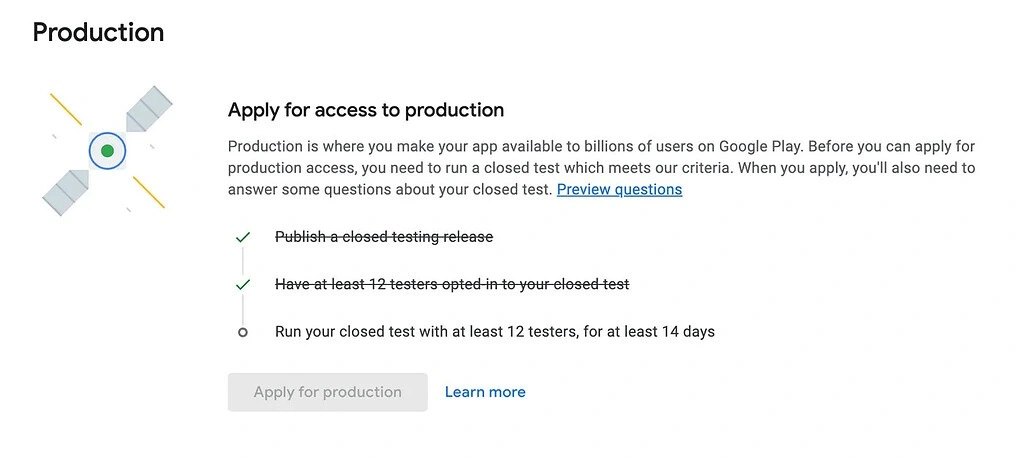
Since November 2023, Google Play requires every new personal developer account to prove an app is real before it can go live. The rule people call the 12 testers policy works in three plain steps: you publish a closed testing release, you have at least 12 testers opted in, and you run your closed test with at least 12 testers for 14 consecutive days. Only then can you apply for production access.
- Publish a closed testing release. Create a closed testing track in the Google Play Console and share the opt-in link so testers can join.
- Have at least 12 testers opted in. Each tester must click your opt-in link. Adding email addresses to a list does not count; they have to actually opt in.
- Run your closed test with at least 12 testers. Keep the test live for 14 consecutive days with testers who genuinely open and use the app.
- Apply for production access. After 14 days, request production. Google reviews engagement and your answers, then your app is accepted or rejected.
The hard part is not the number. It is finding reliable, engaged people who will stay for two full weeks. Before we compare the four ways to find them, there is one thing about the 12 testers policy that almost everyone gets wrong.
The policy arrived as the store got crowded: about 2,100 new apps a day in 2026, by our count of 3,037,501 listings in Google Play statistics 2026. The closed test is the one rehearsal every new app gets before joining them.
What Actually Happens If You Drop Below 12 Testers
Read this before day 1
The myth
"If your active testers drop below 12 at any point, the 14-day timer resets and you start over."
The fact
The 14-day clock keeps running. Nothing resets mid-test if the count dips below 12. The real check comes later, at production review.
Once you publish a closed testing release and have at least 12 testers opted in, the 14 consecutive days keep counting down even if your active tester count wobbles below 12 on some days. The timer does not restart. The moment that actually decides everything is when you apply for production access. That is the single point where your app is accepted or rejected.
At that review, Google looks at whether your testers genuinely engaged with your app during the closed test. If engagement was weak, or your answers were incomplete, your app is rejected with the exact message below, and you are asked to run your closed test with at least 12 testers for an additional 14 days.
The loop you can get stuck in
Here is the part most developers miss. If your testers were not genuinely engaged, this is what actually happens, over and over:
- You run your closed test for 14 days.
- You apply for Google Play production access.
- Google reviews engagement, sees it was weak, and rejects your app straight away.
- You are told to test again with at least 12 engaged testers for another 14 days.
- You apply again. If engagement is still weak, it is rejected again.
This cycle keeps repeating every 14 days until your testers are genuinely engaged. You can lose weeks, or months, to it. The only way out is real, active testers, which is exactly what the free community app and the paid service are built to give you.
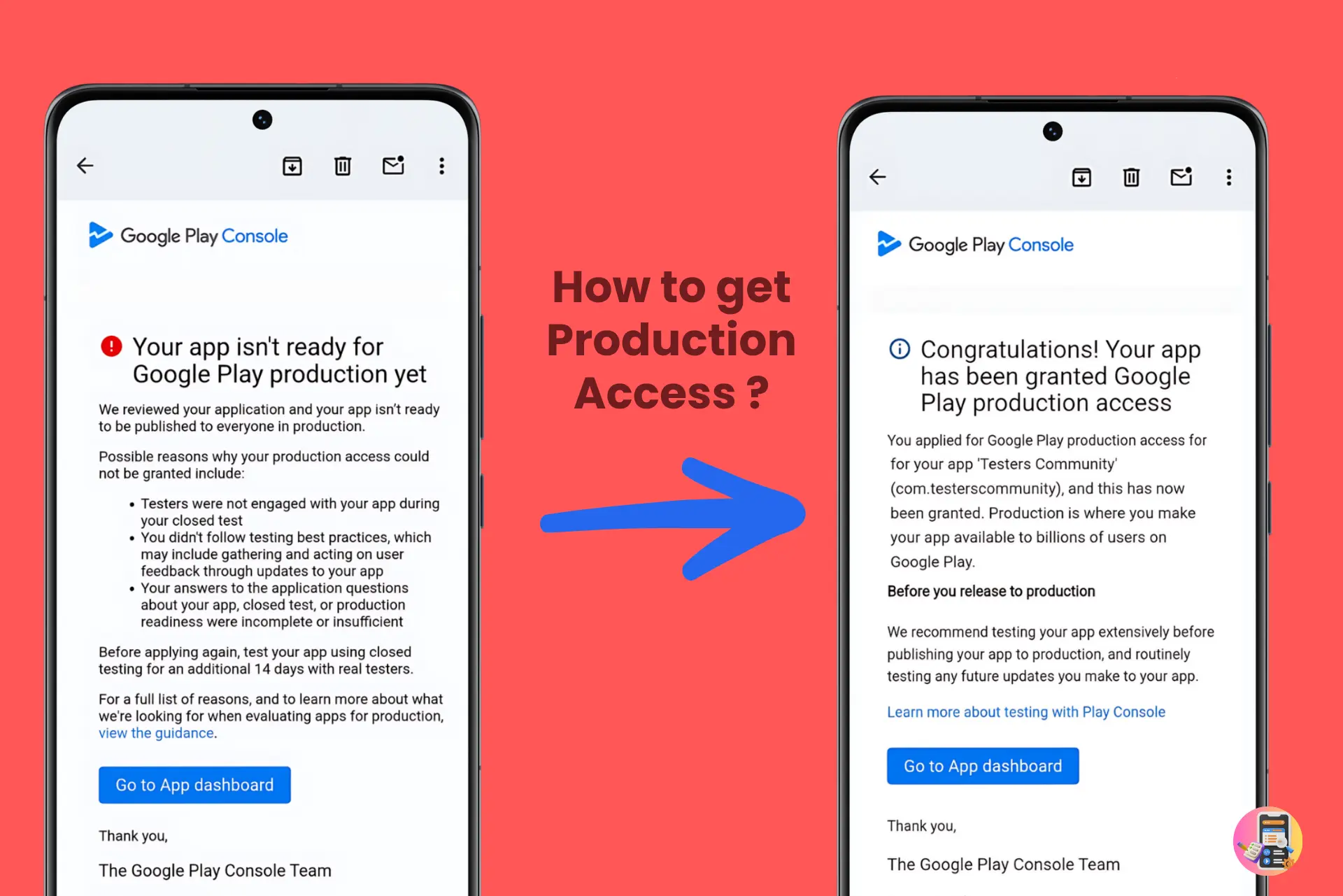
The takeaway: hitting 12 opt-ins is easy. Getting 12 people to actually use your app for two weeks is the part that decides whether you are accepted or rejected. This is exactly why an engaged tester buffer beats a bare-minimum headcount.
Method 01: Testers Community Free App
Get 12 testers free by testing other developers' apps first.
Testers Community's free app is the most popular free way to meet the 12 testers policy. It runs on a credit-based exchange: developers help each other run their closed test with at least 12 testers, at no cost.
How the free plan works
- Download the app. Get the Testers Community app from Google Play (free, 4.6-star rating).
- Test 3 other apps. Test other developers' apps to earn 60 credits (20 per app).
- Post your app to a Pack. Spend your credits to join a Pack, a group of developers who test each other's apps at the same time.
- Get 12 testers for the full 14 days. Pack members opt in to your closed test and keep it running, completely free.
Pros
- Completely free, no payment required
- Large active community (10,000+ developers)
- Testers are incentivized to stay active
- Works for Android and WearOS apps
Cons
- You must test 3 other apps first to earn credits
- Testers ramp up over days, not within hours
- No production access guarantee
- No detailed feedback reports included
Method 02: Professional Testing ($15)
15 verified testers within 6 hours, with a production access guarantee.
Testers Community's paid service is the fastest and most reliable way to run your closed test with at least 12 testers who are genuinely engaged, which is precisely what production review checks.
Starter $15
- 15 verified testers, 3 more than the minimum 12
- Testers start within 6 hours
- Feedback report from your test
- Pre-filled production access answers
- Production access guarantee, or a full refund
One number worth being clear about: $15 gets you 15 testers, not 12. Google's minimum is 12, so you start with a buffer of three. That matters, because someone always changes phones or clears an account partway through a fortnight.
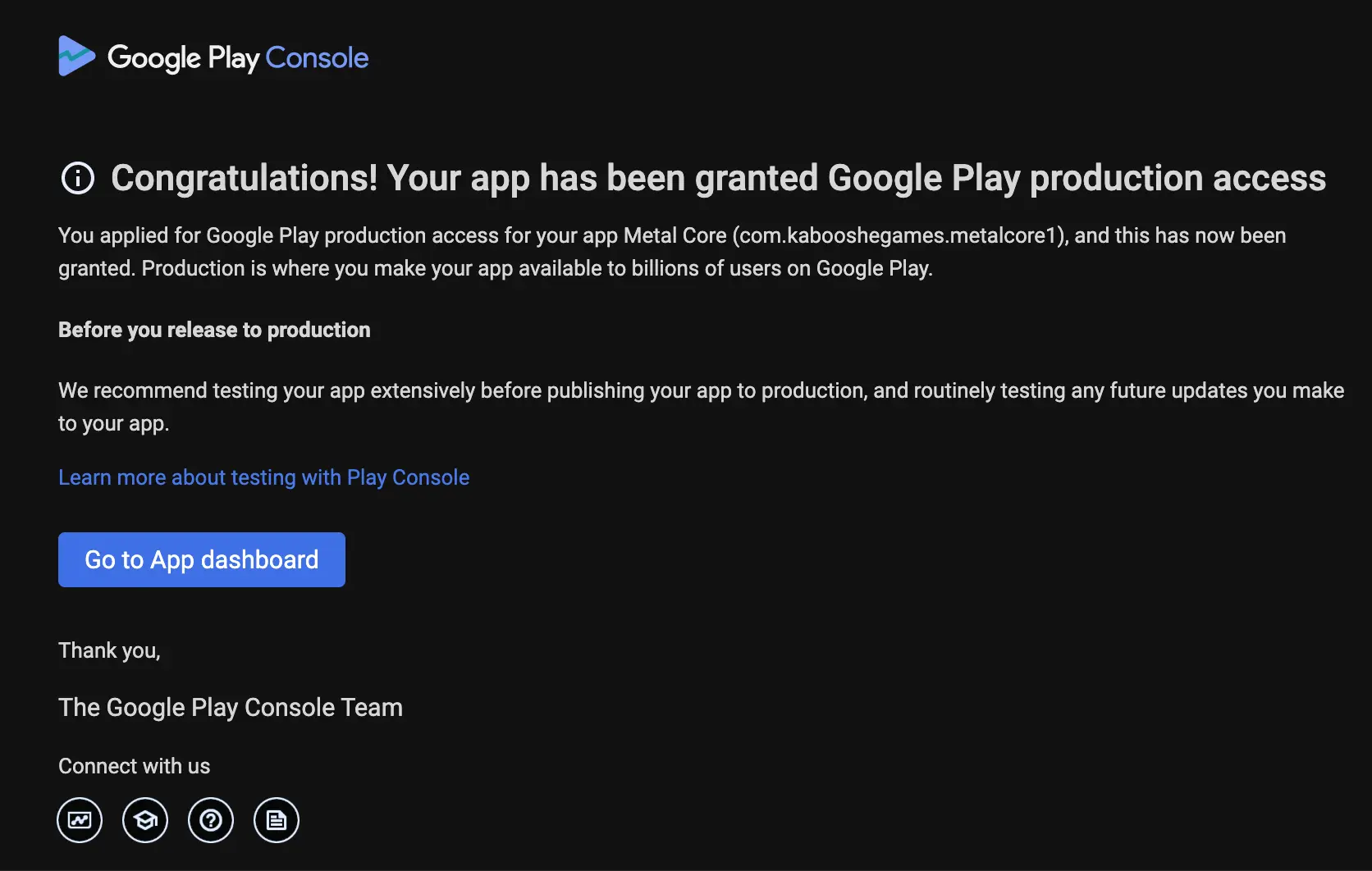
You get production access, or a full refund. More than 99.9% of apps that complete the professional service are approved on the first attempt, because the testers are real people who actively use your app for the full period.
Method 03: Friends, Family & Social Media
Free, but a high dropout rate makes it risky.
The obvious move is to ask people you know. Share your closed testing opt-in link with friends, family, and followers who own Android phones. The catch is keeping 12 people genuinely engaged for two full weeks, which is what production review actually measures.
Common problems with this approach
- Many people agree but never click the opt-in link
- Testers install once and never open the app again (low engagement)
- Friends with iPhones cannot help, since this is Android only
- No accountability, so people forget or lose interest
- Weak engagement can get your app rejected at production review, even after a full 14 days
Tip: if you go this route, line up 20+ people to absorb dropoff and send daily reminders to keep them opening the app. If reliability matters, use the free community app or the paid professional service instead.
Method 04: Reddit & Developer Communities
Free, but slow. Works if you are patient and stay active.
Developer communities on Reddit, Discord, and forums often run "tester exchange" threads: you test their app, they test yours. It is essentially what the Testers Community app automates at scale.
Where to find testers
- r/AndroidDev. Large community, but self-promotion rules are strict
- r/AppTesting. Dedicated to testing exchanges
- r/TestMyApp. Specifically for finding testers
- Developer Discord servers. Active but competitive
- IndieHackers, XDA Developers. Niche but engaged communities
Reality check: this is what the Testers Community app already does, automated and at scale with 10,000+ developers. It handles matching, accountability, and keeping testers active. If you want the forum approach without the hassle, download the free app.
Method Comparison
Side by side, so you can pick the right path for your timeline.
| Free Community | Starter ($15) | |
|---|---|---|
| Price | $0 | $15 |
| Testers provided | 12 | 15 |
| Time to get testers | A few days | 6 hours |
| Total time to production | ~16-20 days | ~15 days |
| Success rate | High | 99.9% |
| Production guarantee | No | Yes, or full refund |
| Feedback reports | No | Yes (detailed) |
| Support | Community |
Frequently Asked Questions
What is the 12 testers policy on Google Play?
The 12 testers policy is Google Play's rule that, since November 2023, every new personal developer account must publish a closed testing release and have at least 12 testers opted in for 14 consecutive days before it can apply for production access. In plain terms: you run your closed test with at least 12 testers, keep it running for two full weeks, and only then request production access. Organization (company) accounts are exempt.
What happens if my active testers drop below 12 during closed testing?
Nothing resets. This is the biggest myth about the 12 testers policy. The 14-day clock keeps running even if your active tester count temporarily dips below 12 on some days. The real check happens at the end: when you apply for production access, Google reviews how genuinely your testers engaged with your app. If engagement was weak, your app can be rejected and you will be asked to run your closed test with at least 12 testers for an additional 14 days.
Why can my app be rejected after 14 full days of closed testing?
Because the 12 testers policy is not only about counting heads. When you apply for production access, Google looks at whether your testers were actually engaged with your app during the closed test, whether you followed testing best practices, and whether your application answers were complete. Twelve people who install and never open the app can still lead to a rejection.
Does the $15 plan really include 15 testers?
Yes. The $15 Starter plan includes 15 verified testers, which is already more than Google's minimum of 12. You start the 14 days with a buffer of three, which is the point: it absorbs the tester who changes phones or clears an account halfway through.
How can I get 12 testers for Google Play for free?
The most reliable free method is the Testers Community app on Google Play. Download it, test 3 other developers' apps to earn 60 credits, then post your own app to a Pack, a group of developers who test each other's apps. You get 12 testers for the full 14 days at no cost. Earning the 60 credits only takes about 15 to 20 minutes. More than 10,000 developers across 180+ countries use this method.
What is the fastest way to get 12 testers for Google Play?
The fastest route is Testers Community's paid service. The $15 Starter plan assigns 15 verified testers within 6 hours of checkout, and it is backed by a production access guarantee: you get production access, or a full refund.
What is the difference between the free plan and the paid plans?
The free Community plan asks you to test 3 other apps to earn credits, then gives you 12 testers through the Pack system at no cost. The $15 Starter plan is faster and guaranteed: 15 testers within 6 hours, a feedback report from your test, pre-filled production access answers, and a production access guarantee, or a full refund.
Can I use friends and family as testers for Google Play?
You can, but it is the least reliable option. Google requires each tester to opt in through your closed testing link and stay genuinely engaged for 14 days. In practice, people forget to opt in, install and never open the app, or own iPhones and cannot help at all. Since Google judges engagement, a group of inactive friends can still get your app rejected at production review.
Is Testers Community legitimate and safe to use?
Yes. Testers Community has operated since February 2024 and has helped more than 10,000 developers across 180+ countries, with 10,000+ apps published through the platform and a 4.6-star rating on Google Play. The paid service has a 99.9% first-try production access success rate and comes with a production access guarantee, or a full refund.
How long does Google Play closed testing take in total?
The closed test itself is a fixed 14 consecutive days with at least 12 testers opted in. With the paid service, testers join within 6 hours, so you are looking at roughly 15 days end to end. With the free community app, testers ramp up over several days (roughly 16 to 20 days total). Doing it yourself is unpredictable and can stretch into months if testers keep dropping off.
Get Your 12 Testers Today
Free through the community app, or 15 verified testers within 6 hours for $15. Approved, or your money back.
Sources
- App testing requirements for new personal developer accounts, Google Play Console Help
- Everything about the 12 testers requirement, Google Play Developer Community
- Set up an open, closed, or internal test, Google Play Console Help