
Google Play offers a very simple way through which you can offer your paid app for free temporarily. After given time period it will change back to paid app. This can be achieved through creating a $0 sale in all countries for 8 days. In this guide, we’ll explore how to set up $0 sales along with tips to make the most of these features.
Why Offer Your Paid App for Free ?
- Attract New Users: Remove the cost barrier to encourage more downloads.
- Gather Feedback: Let testers experience your app for free and provide valuable insights.
- Boost Visibility: Free promotions can help your app gain traction in competitive markets.
- Drive In-App Purchases: Use free access as a gateway to promote premium features or subscriptions.
🛑 CRITICAL WARNING:
If you navigate to the standard Pricing settings and select “Make your app free,” this change is PERMANENT. You will never be able to charge money for this app again. To offer your app for free temporarily, you must use the “Sale” tab described below.
How to Create a $0 Sale
Steps to Set Up a 0$ Sale:
1) Go to App Pricing in Play Console:
- Log in to your Play Console account.
- Navigate to Monetize with Play > Products > App Pricing.
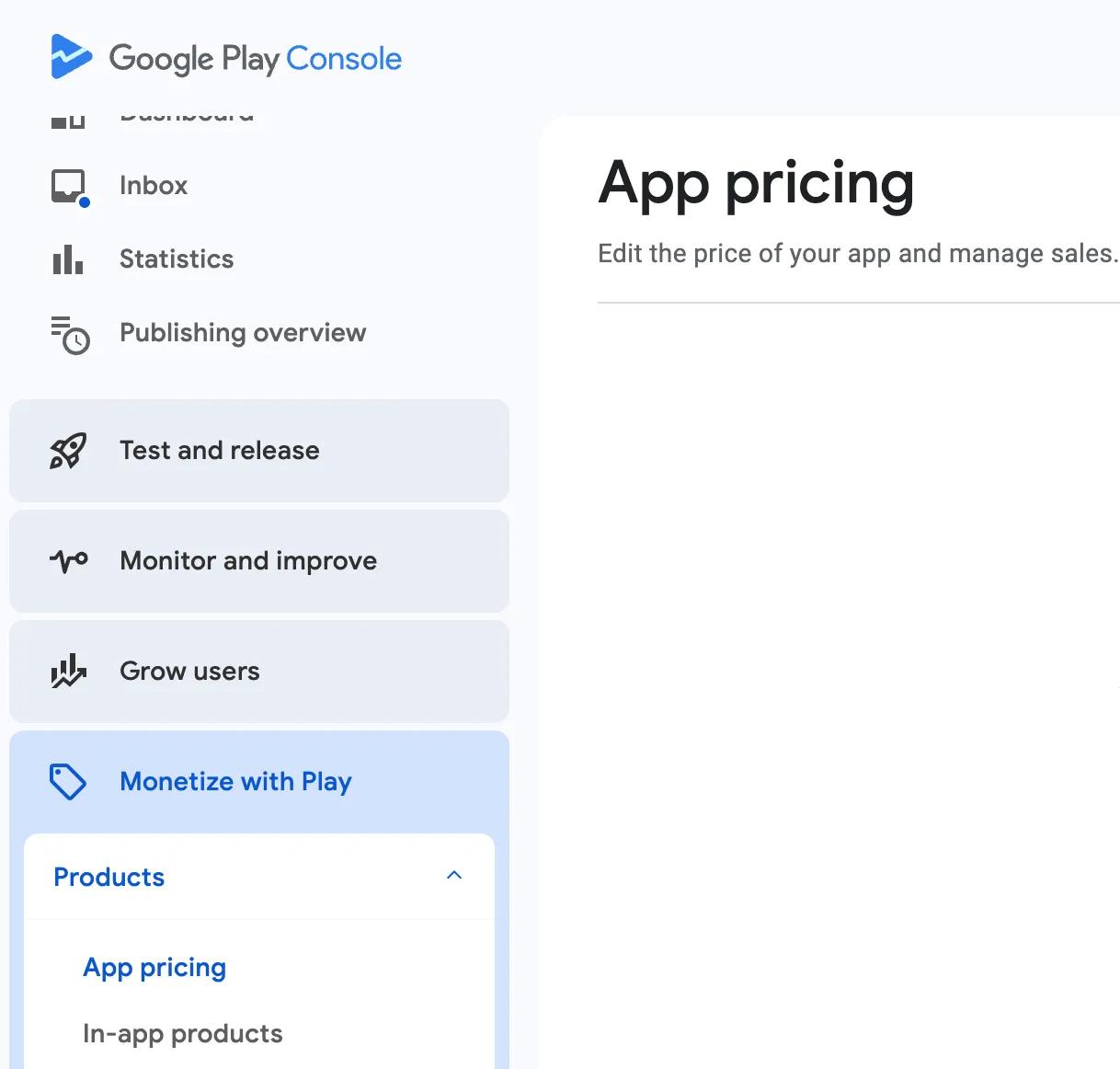
2) Set Up a Sale:
- Open the Sales tab and click Create Sale.
- Name your sale (visible only to you) and set the start and end dates.
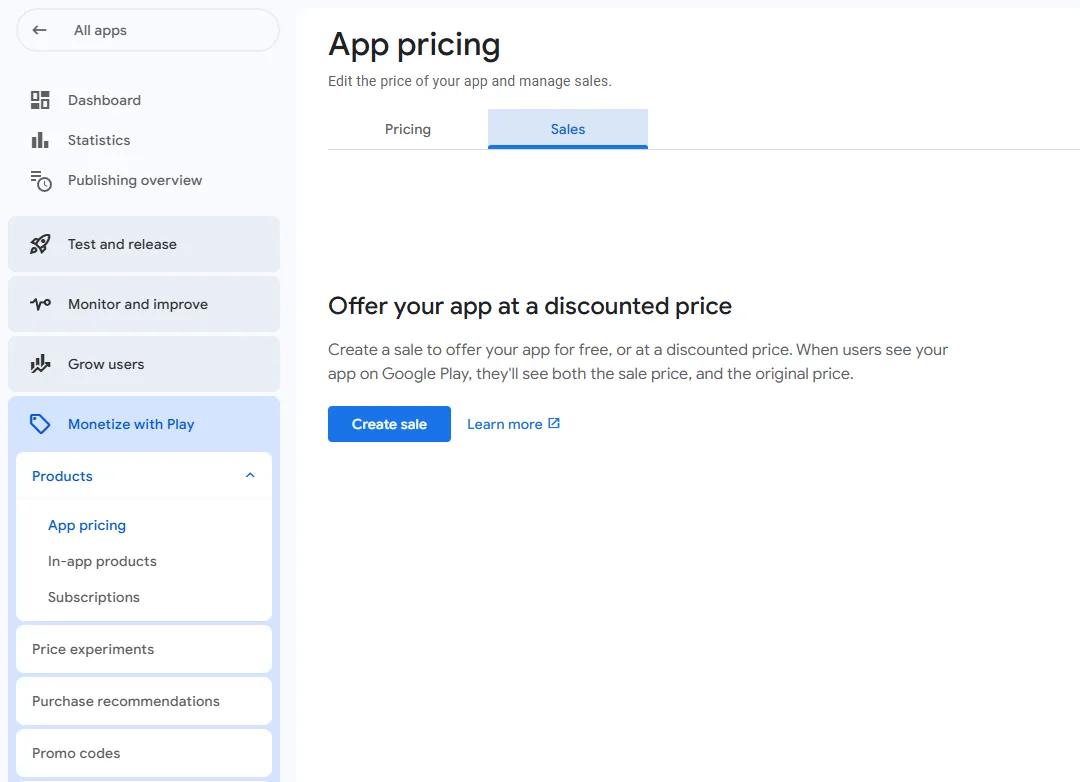
3) Set the Sale Price to $0:
- Click Edit Sale Price and set it to $0 in your default currency.
- Confirm the price applies globally or select specific regions where the sale will be active.
⚠️ Important
Always select All Countries when running a free sale. If you only choose one region (like the USA), testers in other countries (such as Spain) wont be able to install your app. To ensure smooth testing, keep your sale global.
4) Save and Launch the Sale:
- Click Save, and the sale will activate on your selected start date (Make sure that you will select the maximum duration of 7 days).
Key Considerations for $0 Sales:
- Temporary Nature: A $0 sale is a limited-time promotion. Once the sale ends, the app reverts to its original price.
- Restriction on Consecutive Sales: After a $0 sale ends, you must wait several days(30 days) before starting another.
- Metrics Impact: Downloads during a $0 sale don’t count as purchases, which can temporarily affect your buyer and revenue metrics.
- No Effect on Paid Status: Unlike switching your app to permanently free, $0 sales allow you to maintain your app’s paid status.
Conclusion
Offering your paid app for free through $0 sales is a fantastic strategy to boost engagement, gather feedback, and build your app’s user base.
For any more doubts, you can contact us at support@testerscommunity.com
Happy coding!


