
In-app products·3 min read
Can testers use your in-app purchases?
Yes, with Google's test cards, and nobody gets charged. About three minutes of setup.
Yes. If your app sells in-app products or subscriptions, testers can go through the real purchase flow without spending real money. Google Play has a built-in switch for exactly this, called license testing. Anyone on your license tester list sees simulated test cards at checkout, completes the purchase like a normal user, and is never charged.
- 1
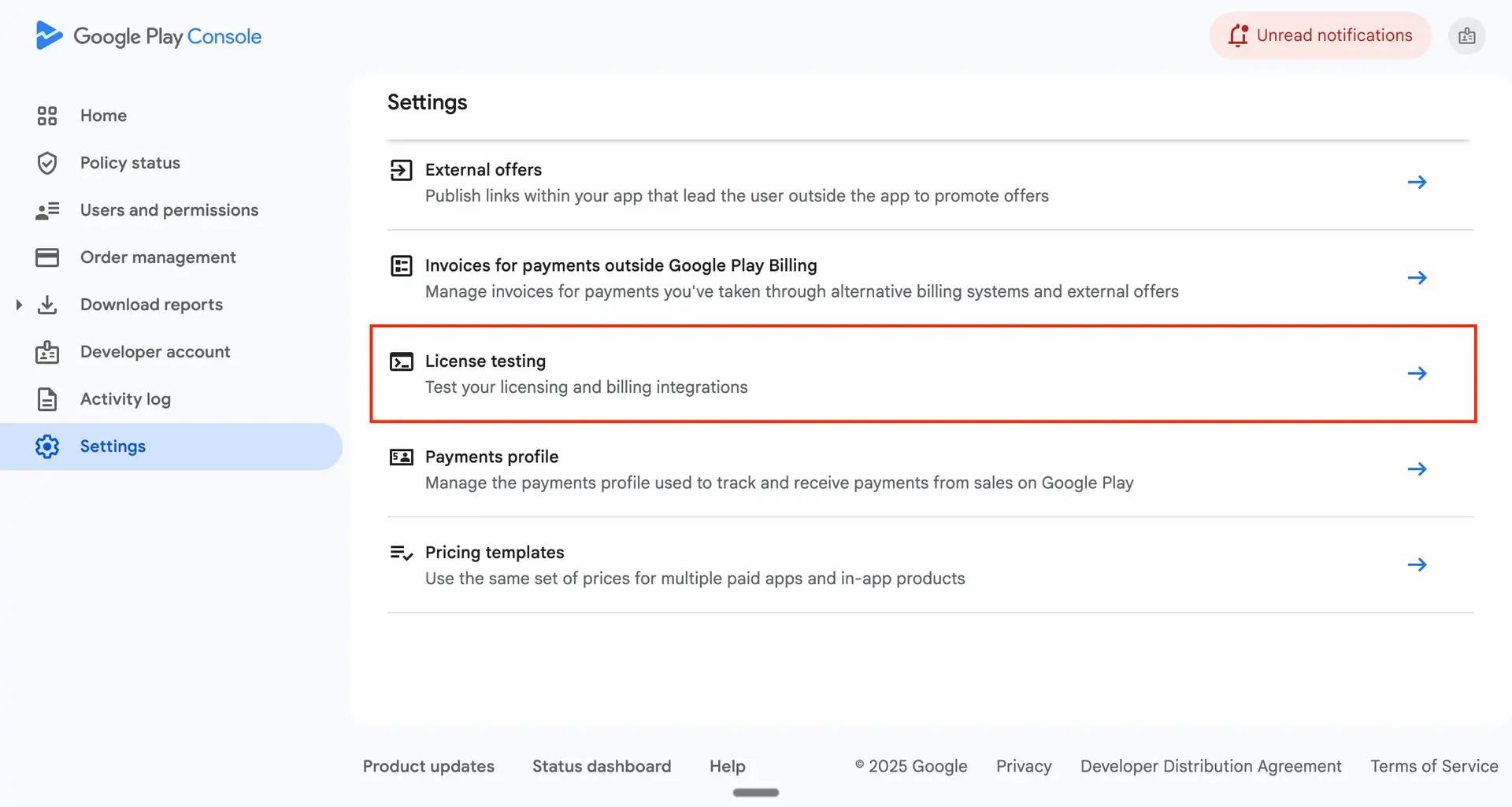
Open License testing
From the Play Console homepage, not inside an app, go to Settings and choose License testing.
- 2
Add our Google group
Under License testing, add the same Google group you added to your closed testing track:
Then click Save changes. That is it: every tester on your test can now buy your in-app products free of charge.
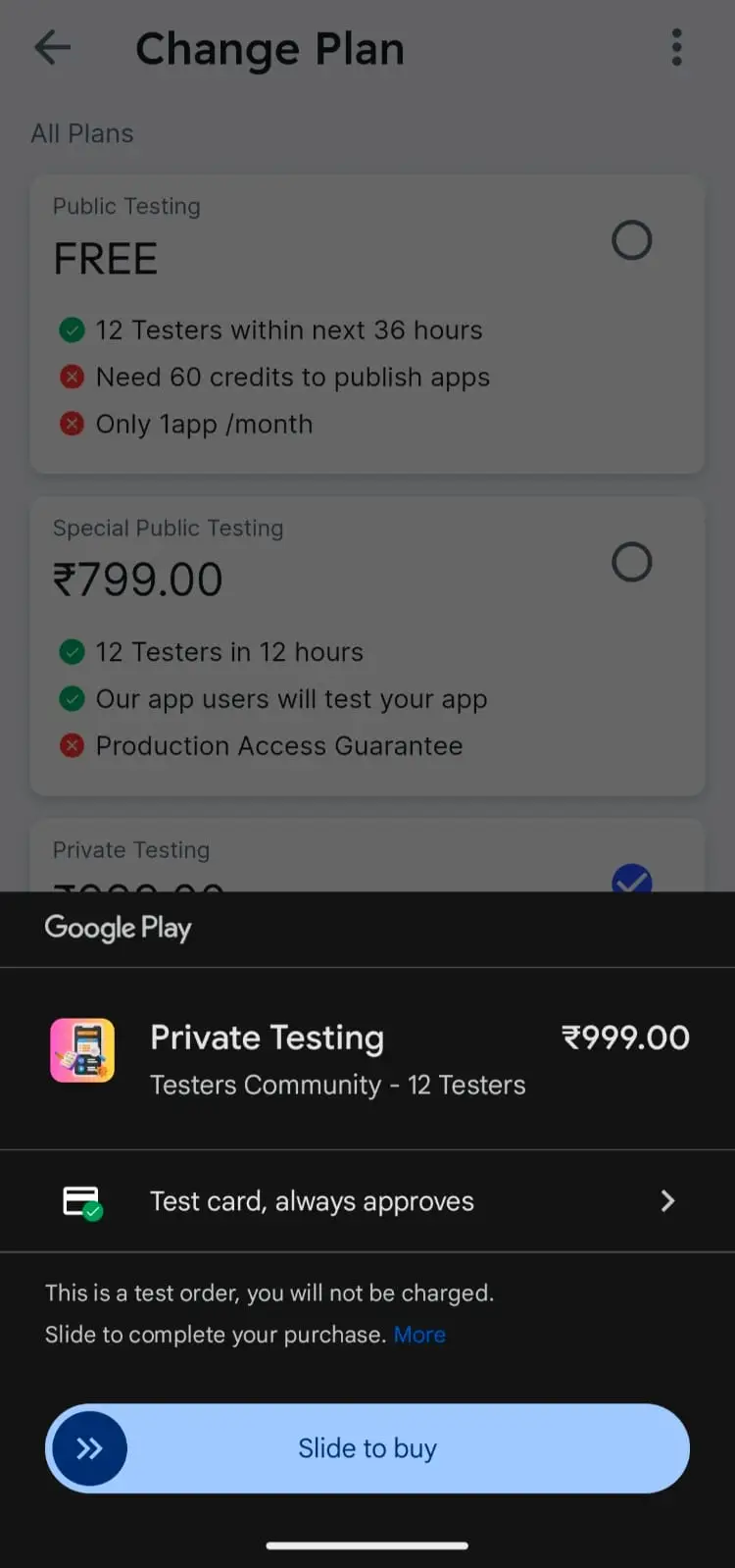
How test purchases behave
Testers pick from simulated cards such as "Test card, always approves". The order completes instantly, appears in your Play Console order management marked as a test, and no money moves in either direction. So your revenue-critical flows get exercised on real devices, with zero real transactions.
Previous guideDo testers need to pay to download your app?Next guideIs your app for one country or one language?
Stuck on something? We are one email away.
support@testerscommunity.com