
Paid apps·3 min read
Do testers need to pay to download your app?
No. If your app has an upfront price, a short $0 sale makes it free during the test.
No, testers never pay to download your app. If your app is free to install, there is nothing to do here. If it has an upfront price, you create a short promotional sale that drops the price to $0 while the test runs. Your app stays a paid app: the price returns automatically when the sale ends, and nothing about your listing changes permanently. Apps that are free to install with in-app purchases do not need this, see the in-app purchases guide instead.
- 1
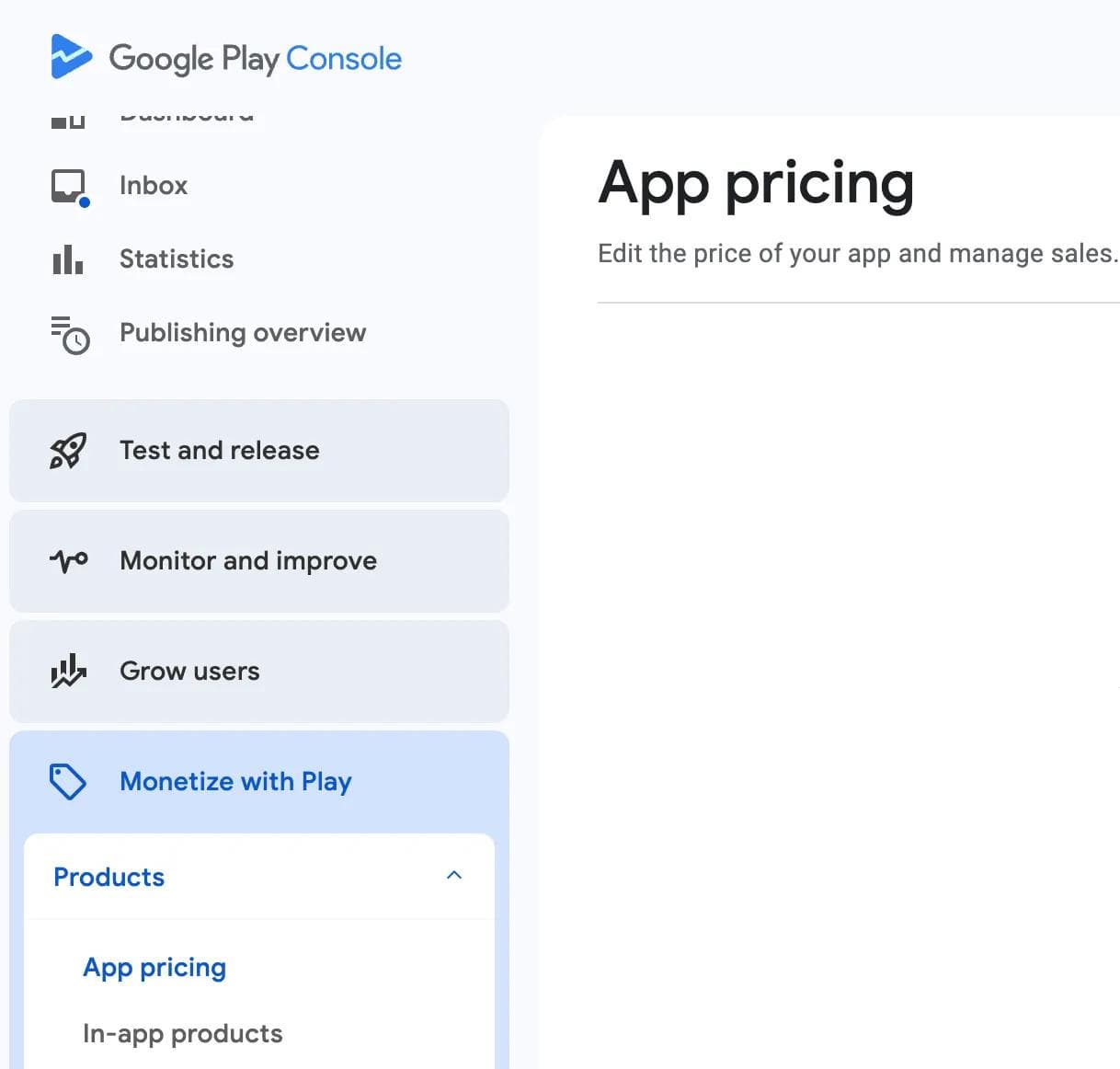
Open App pricing
In Play Console, go to Monetize with Play, then Products, then App pricing.
- 2
Create the sale
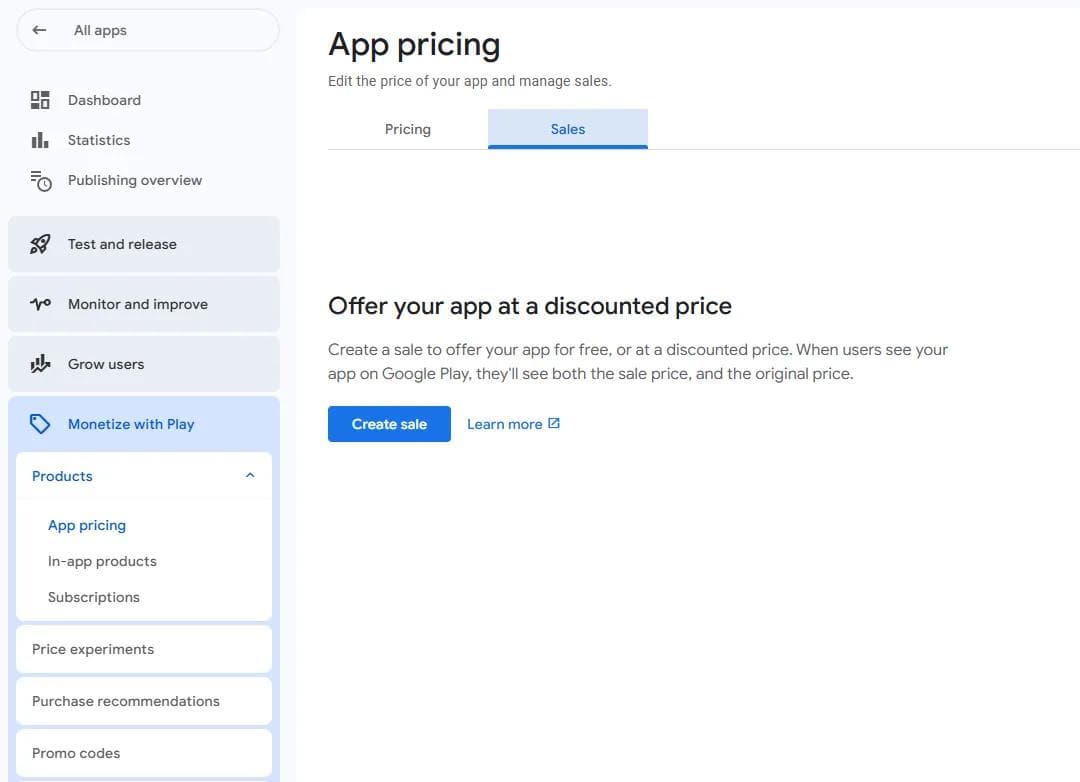
Open the Sales tab and click Create sale. The name is internal, so call it anything, and set the dates so the sale runs for 8 days. The Sales tab is the part many developers miss: the $0 setup happens here, not in the Pricing tab. If you try to edit the price under Pricing instead, Play Console refuses with a message that the price must be greater than zero, because a price of $0 cannot be set there. Only a sale can take the install price to $0, so be careful to use the Sales tab.
- 3
Set the price to $0 for all countries
Click Edit sale price, enter 0 in your default currency, and select all countries so every tester can install the app wherever they live. - 4
Save, then tell us
Click Save and the sale goes live on its start date. Email support@testerscommunity.com once it is running and we start testing right away.
One thing to never do
Do not use the separate "Make your app free" option in the pricing settings. That change is permanent: Google never lets a free app become paid again. The sale method above is temporary and completely safe.
Stuck on something? We are one email away.
support@testerscommunity.com